
Whenever you added a reviewer to your event, MeetingHand sends an automated notification to the reviewer with a login link and a password. So, your reviewers can log in to their reviewer accounts and evaluate the abstracts you assign to them.
However, if you need to re-send a login link and a new password to a specific reviewer, you can apply the steps below;
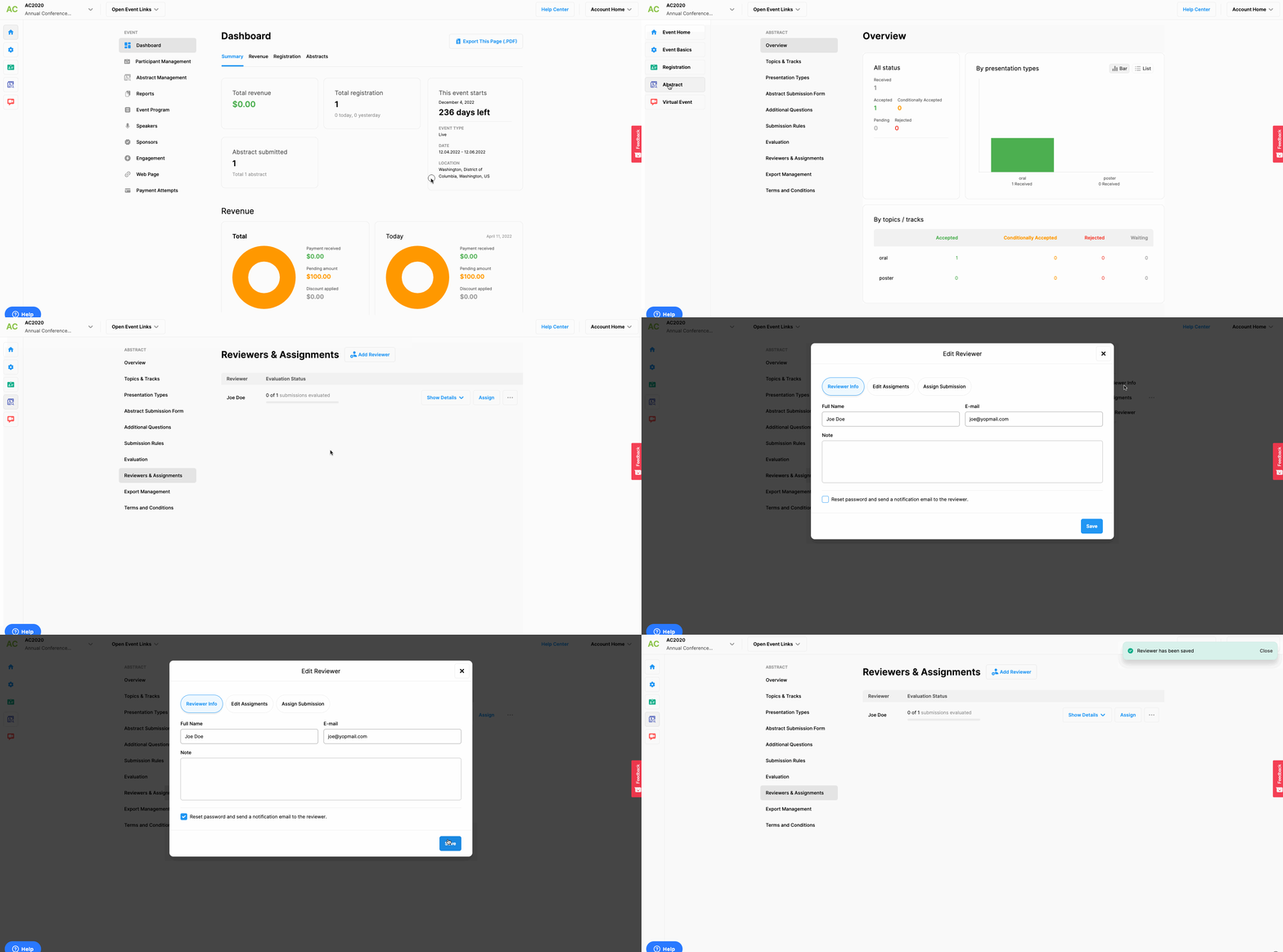
Choose the ‘Abstract’ from the left side menu,
Choose the ‘Reviewers & Assignments’ option under the ‘ABSTRACT’ title,
Click the 3 dots next to the reviewer’s name, you wish to send the login link,
Click the ‘Edit Reviewer Info’ option on the menu,
Mark the ‘Reset password and send a notification email to the reviewer’ checkbox at the bottom of the form and,
Click the ‘Save’ button,
Comments
0 comments
Please sign in to leave a comment.