
You can always re-start an evaluation process for an abstract that has already been evaluated as follows.
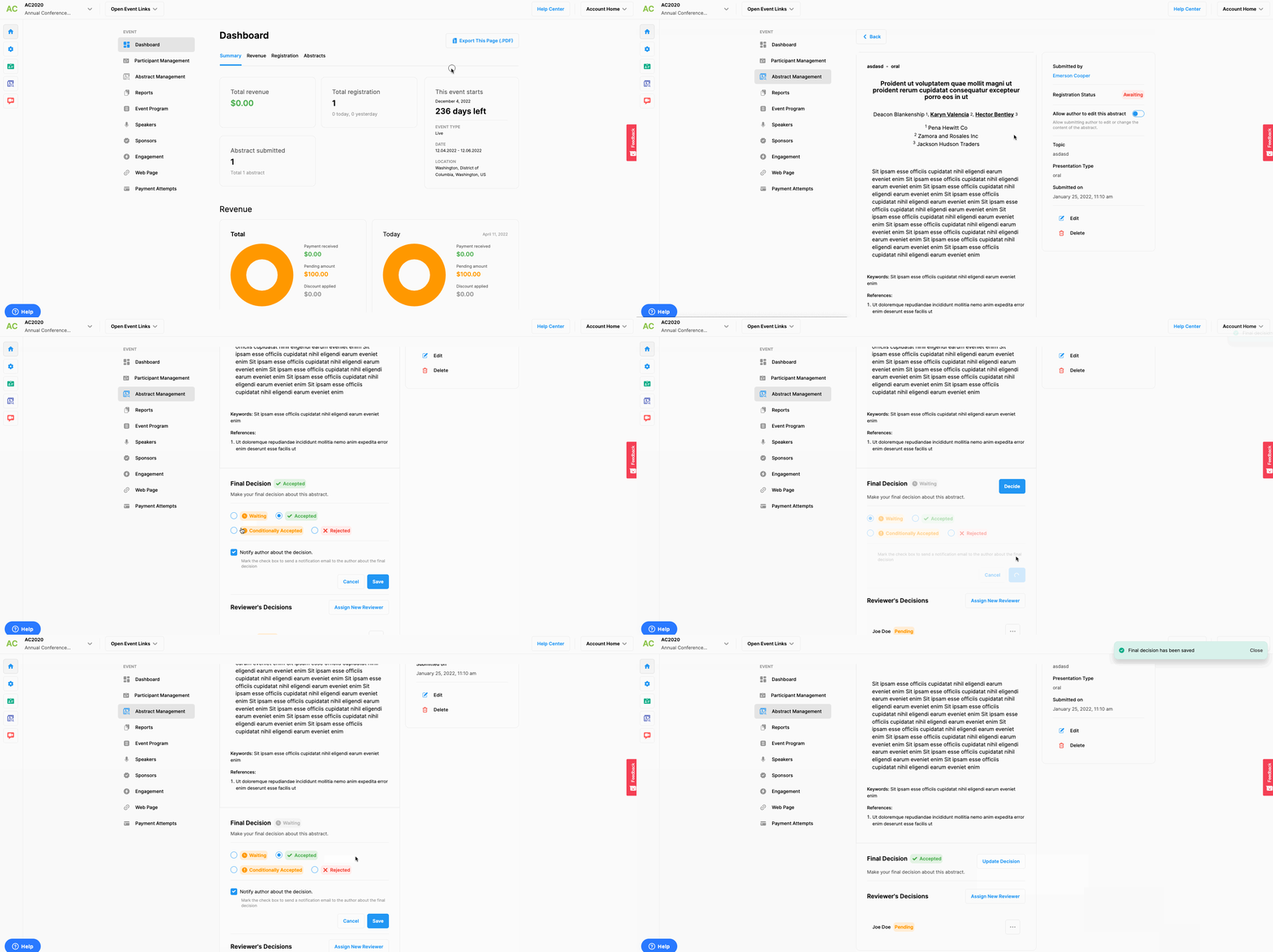
Option 1: from Abstract Management
Choose the ‘Event Home’ from the left side menu,
Choose the ‘Abstract Management’ option under the ‘EVENT’ title,
Click the ‘See Details’ button next to the abstract you wish to be re-evaluated,
Click the 3 dots next to any reviewer whose review you want to remove at the Reviewer Decisions section,
Click the 'Remove Reviewer' option,
Click the ‘Assign New Reviewer’ button,
Mark the same reviewer’ checkbox at the ‘Reviewer Assignment’ list,
Click the ‘Save’ button.
Option 2: from Reviewers & Assignments
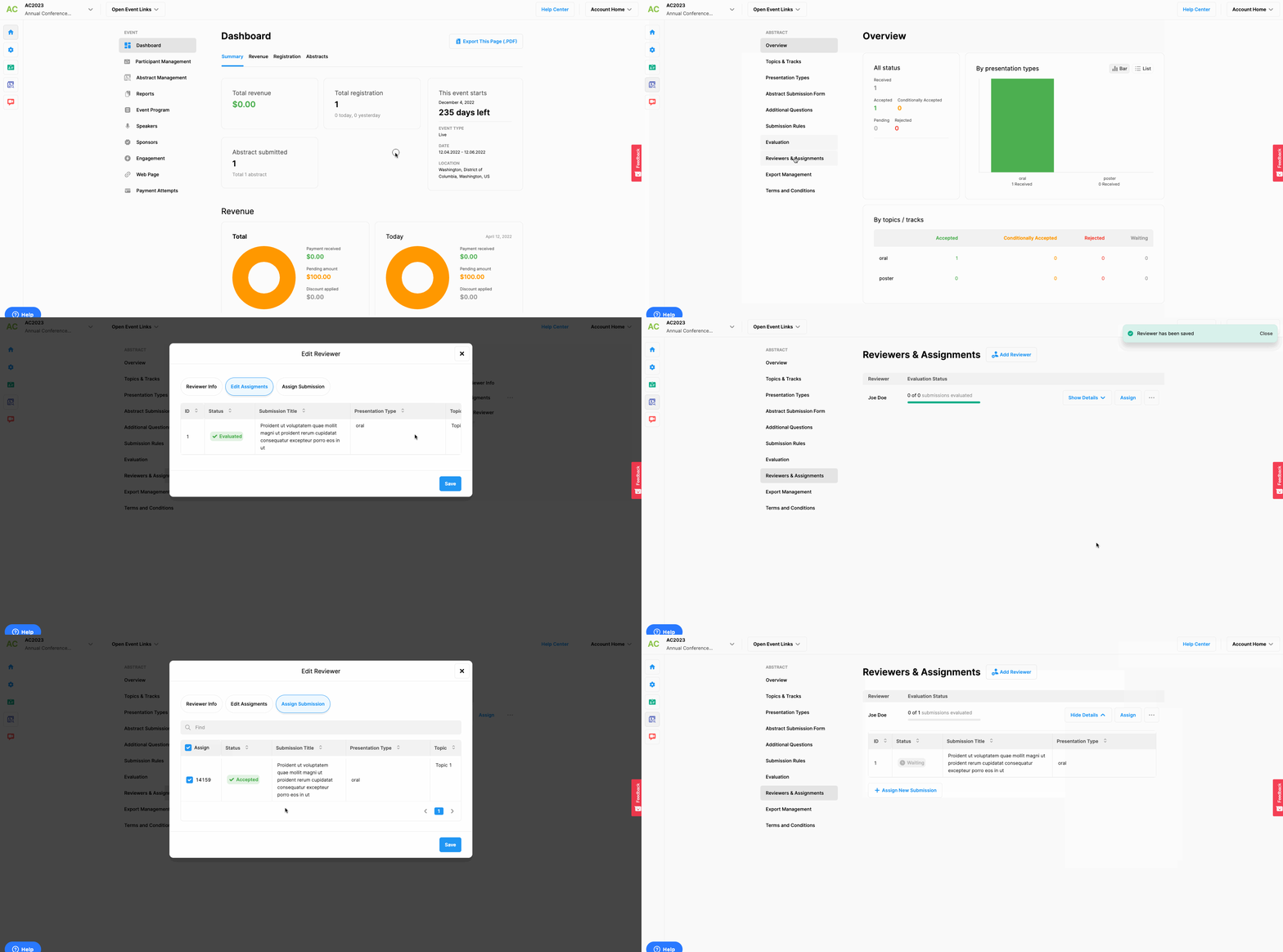
Choose the ‘Abstract’ from the left side menu,
Choose the ‘Reviewers & Assignments’ option under the ‘ABSTRACT’ title,
Click the three dots next to the reviewer’s name you want to remove,
Click the ‘Edit Assignments’ option from the list,
Click the ‘Discard’ option on the right side of the abstract title,
Click the ‘Save’ button,
Click the ‘Assign’ button next to the same reviewer’s name,
Mark the same abstract,
Click the ‘Save’ button,
Note that, each time you assign a reviewer to an abstract or an abstract was assigned to a reviewer, the system sends an automated notification to the reviewer.
Note that, each time you assign a reviewer to an abstract or an abstract was assigned to a reviewer, the system sends an automated notification to the reviewer.
Comments
0 comments
Please sign in to leave a comment.