
MeetingHand sends an automated email notification to your submitters, whenever you make a final decision about the abstracts they’ve submitted. So, whenever you accepted an abstract an ‘Acceptance Letter’ will also be sent to the corresponding author of the abstract automatically.
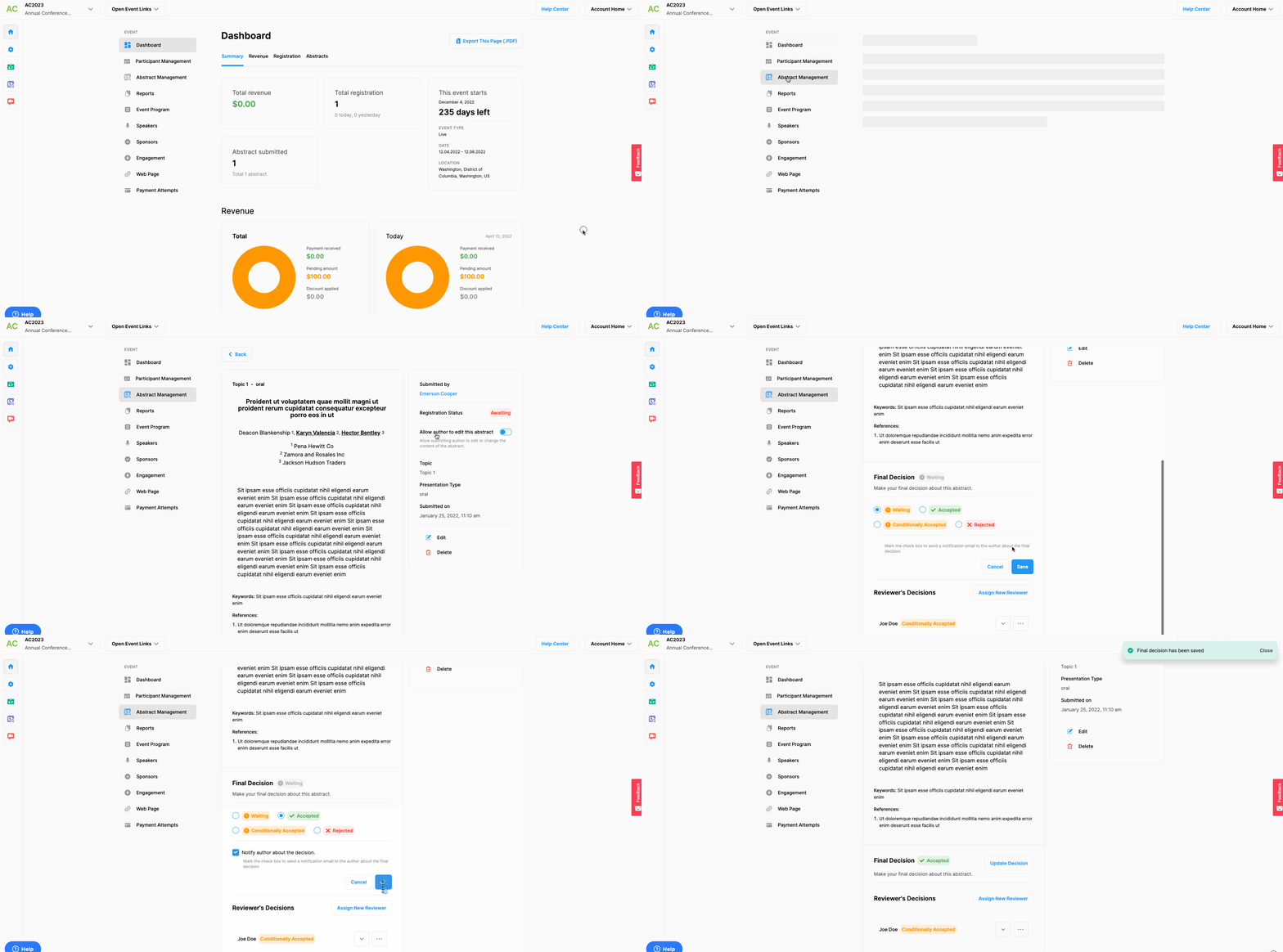
However, if you need to re-send an ‘Acceptance Letter’ you can apply the steps below;
Choose the ’Event Home’ option from the left side menu,
Choose the ‘Abstract Management’ option under the ‘EVENT’ title,
Click the ‘See Details’ button of the abstract you need to send an acceptance letter for,
Click the ‘Update Decision’ button on the ‘Final Decision’ section below the abstract,
Mark the checkbox of the ‘Notify author about the decision’ option,
Click the ‘Save’ button.
Comments
0 comments
Please sign in to leave a comment.