
Time zone setting has some important effects on specific modules in MeetingHand, especially if you are organizing an event with a virtual component. So, setting the time zone at the initial settings phase is highly recommended.
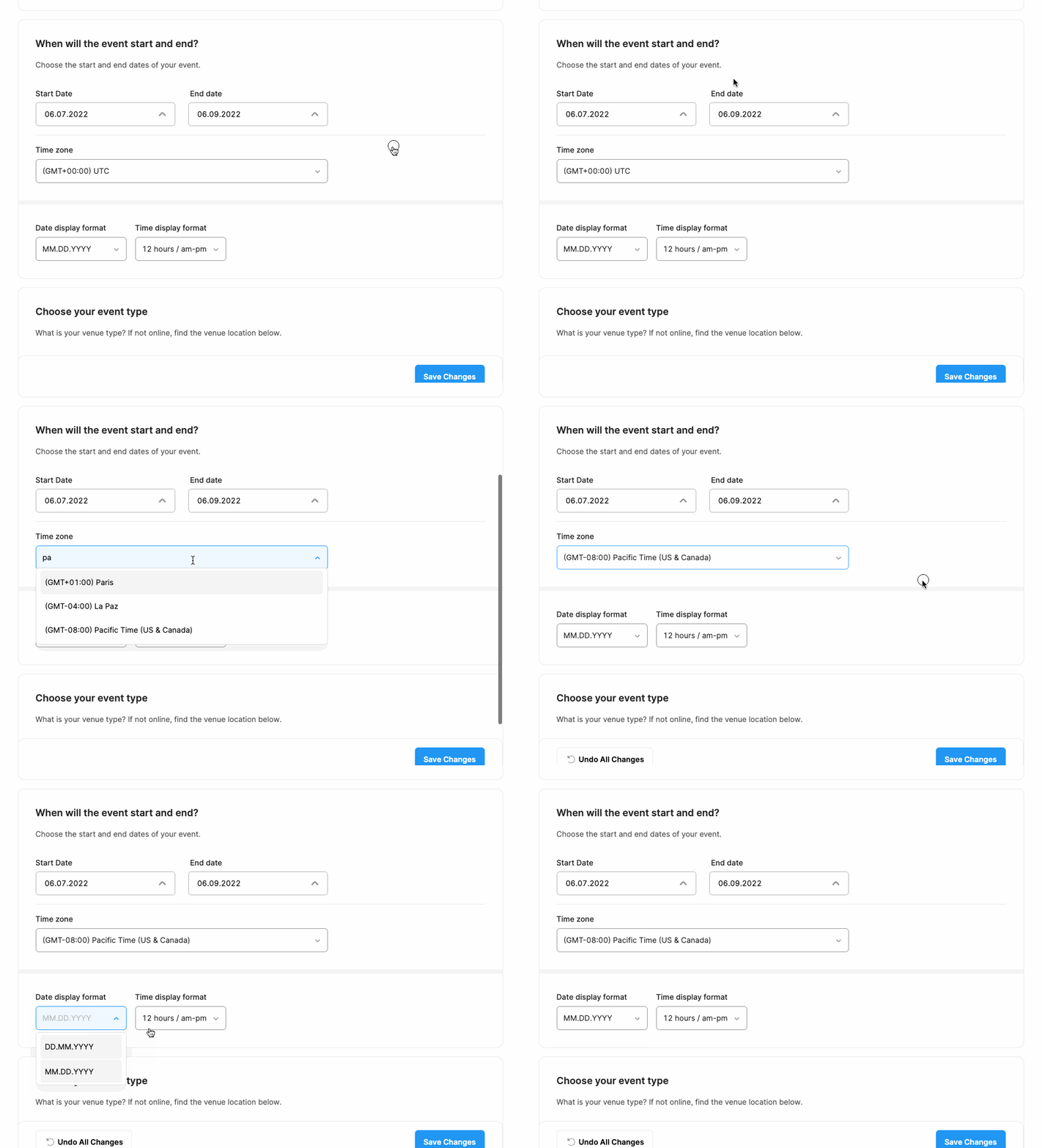
To set the time zone of your event follow the steps below;
Click ‘Event Basics’ on your dashboard page at the right-side menu,
Choose your event time zone by clicking the ‘Time Zone’ field and marking the relevant option.
Click the ‘Save Changes’ button.
Comments
0 comments
Please sign in to leave a comment.