
You can create an event organizer profile and share your organization name, contact details, logo, and social media links with your participants on your event web page.
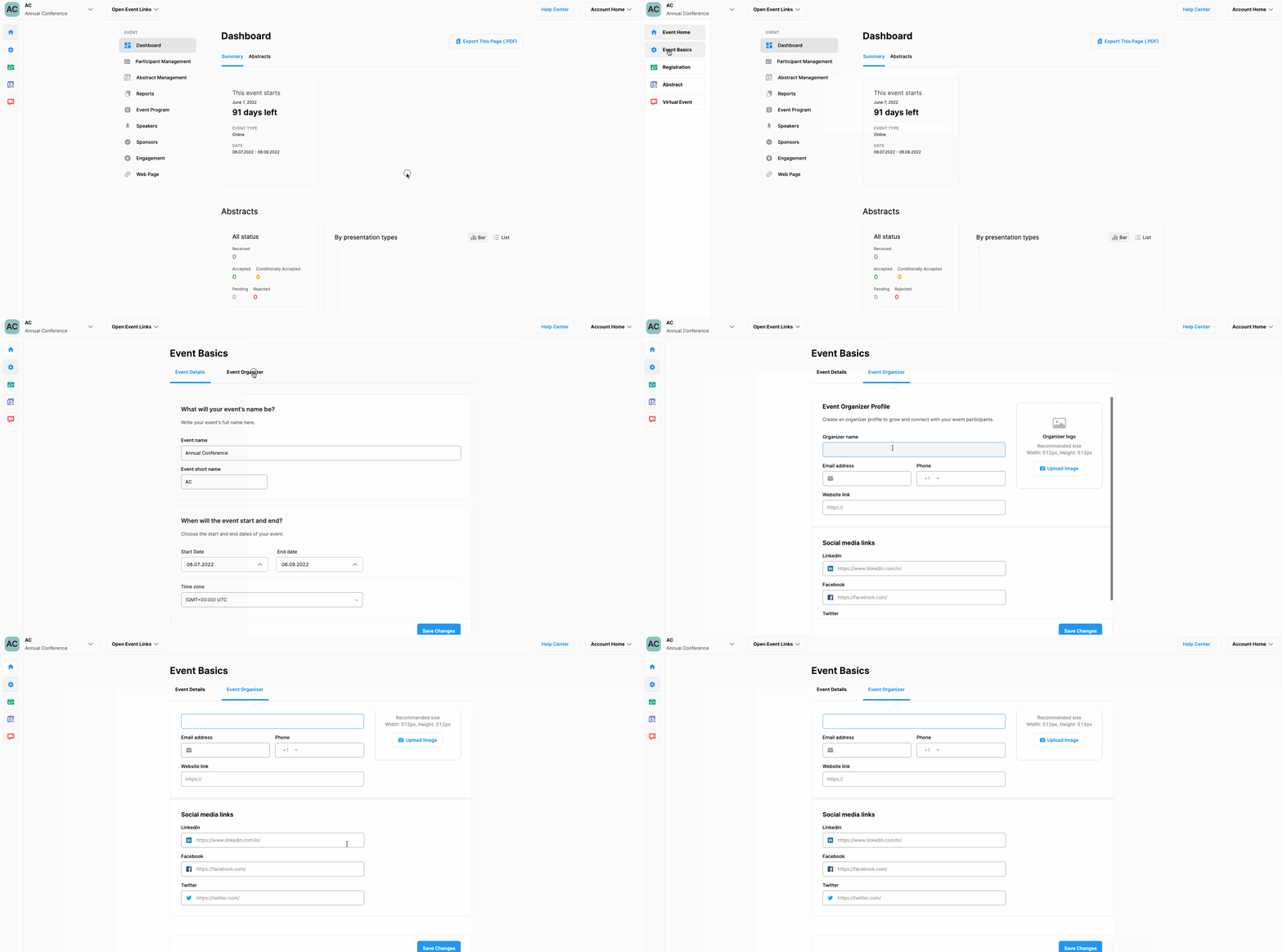
To create an organizer profile, follow the steps below;
Click ‘Event Basics’ on your dashboard page at the right-side menu,
Select ‘Event Organizer’ tab,
Fill in the organizer information form,
Click the ‘Save Changes’ button.
Comments
0 comments
Please sign in to leave a comment.