
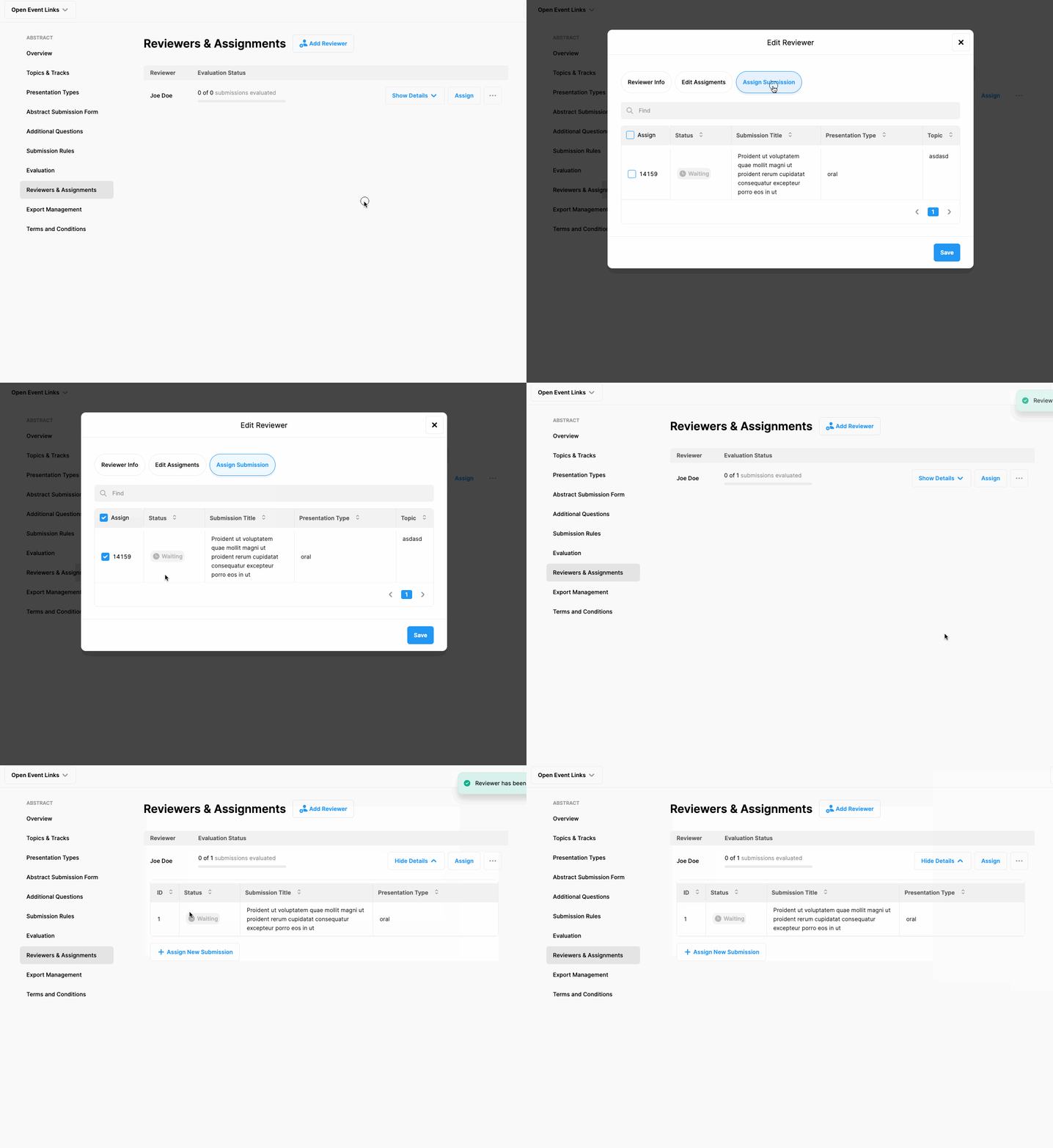
After adding your first reviewer, you can start assigning the abstracts you collected to the reviewers by applying the following steps;
Click ‘Abstract’ from the left side menu,
Click ‘Reviewers & Assignments’ menu item under the ‘ABSTRACT’ title,
Click the ‘Assign’ button next to the reviewer’s name you want to assign an abstract,
Mark the checkboxes of the abstracts you want to assign and,
Click the ‘Save’ button.
Note that, a notification email will be sent to the reviewer automatically and inform him/her about the assignment.
Comments
0 comments
Please sign in to leave a comment.