
MeetingHand provides a robust reporting tool that allows you to create and download fully customizable reports based on your needs by applying the steps below;
How to start generating a new report?
To create a report, you must first select a base module suitable for the report you want to create. Because the data fields that each base module contains are different from each other.
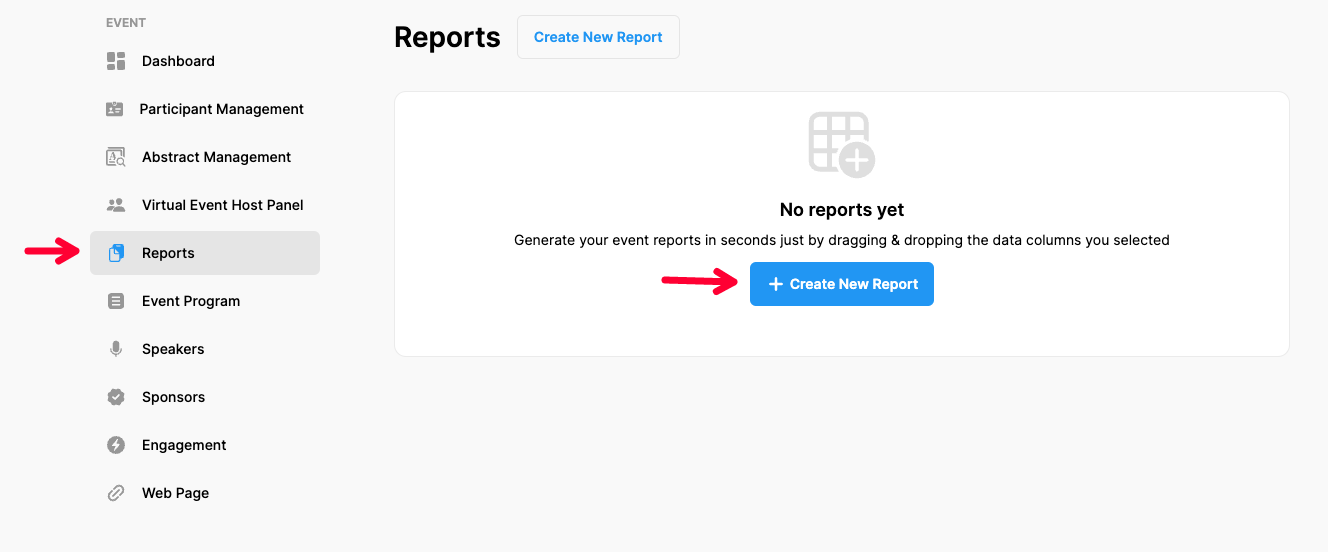
Choose ‘Event Home’ from the left side menu,
Choose ‘Reports’ option under the ‘EVENT’ title,
Click the ‘Create New Report’ button and open the new report form.
How to build a new report?
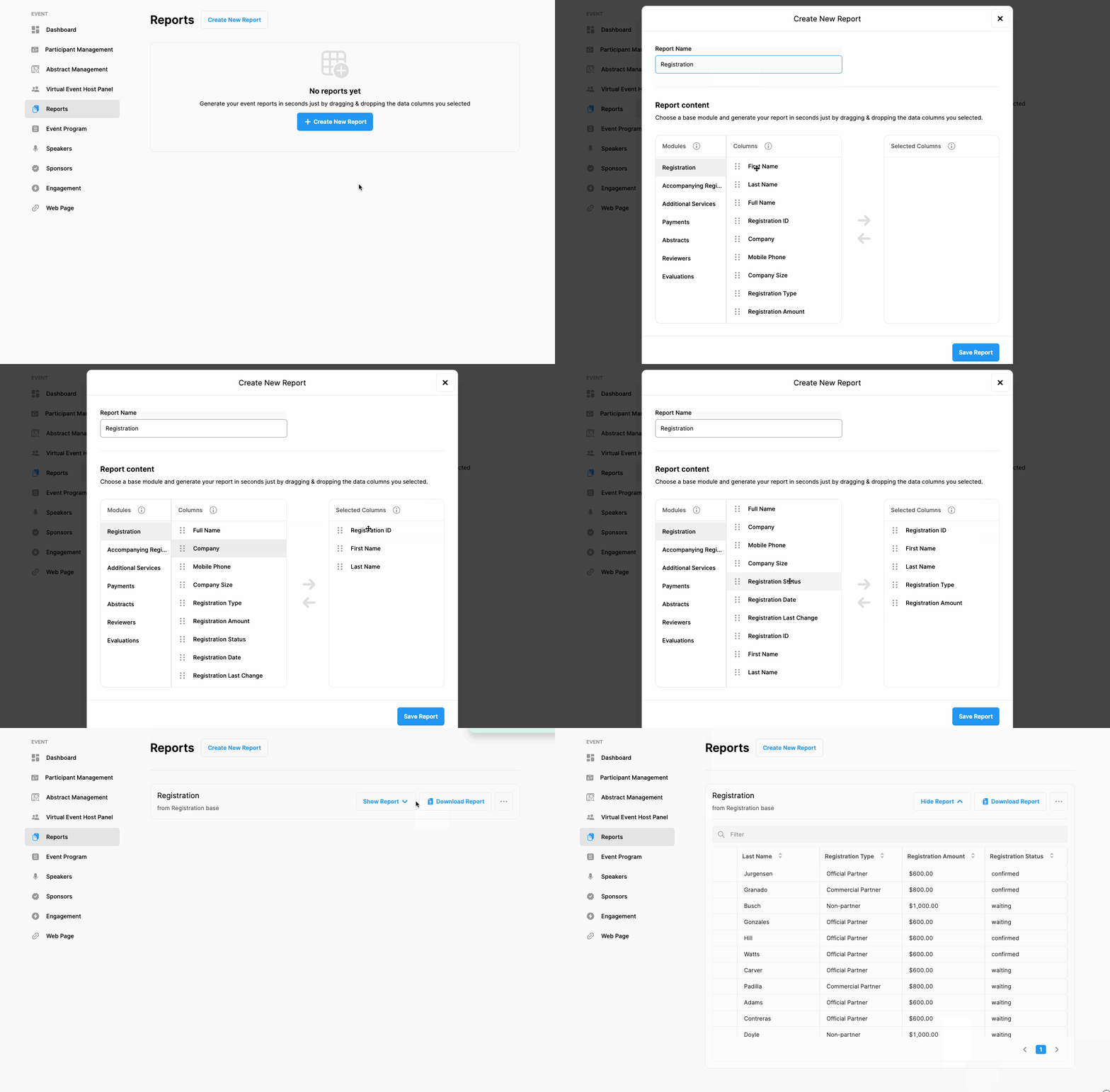
Give a name to your report,
Choose a base module that has the most relevant data columns for your report,
Drag and drop the data columns, that you want to add to your report, from the ‘Columns’ area to the ‘Selected Columns’ area,
Note that you can arrange the order of the columns by dragging the selected columns up or down, so you can arrange the order of the columns of your report as you wish.
Click the ‘Save Report’ button.
Comments
0 comments
Please sign in to leave a comment.