
Registration Types & Fees step allows you to define;
- If your event is paid or free,
- The currency in which you will collect the fees,
- Period-based (early, late, etc.) pricing,
- Registration types, quotas, fees and details,
- Verification codes for private registration types.
Complete the Registration Types & Fees steps according to the following explanations;
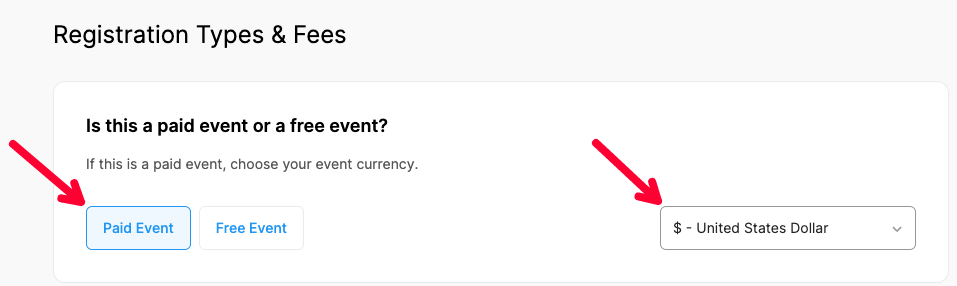
Is this a paid event or a free event?
Define if attending your event is PAID or FREE by clicking the relevant button. If it’s a paid event, select a currency type in which you’ll collect the fees.
Apply period-based pricing
If you wish to offer your participants advantageous registration options, like early bird registration, switch on the “Apply period-based pricing” section and define your alternative registration periods, fees and deadlines by applying the steps below.
- Switch on the “Apply period-based pricing” option,
- Name the registration periods such as “Early bird or Late”,
- Make sure that you activate at least two periods and the periods do not overlap,
- Define the deadlines for each period,
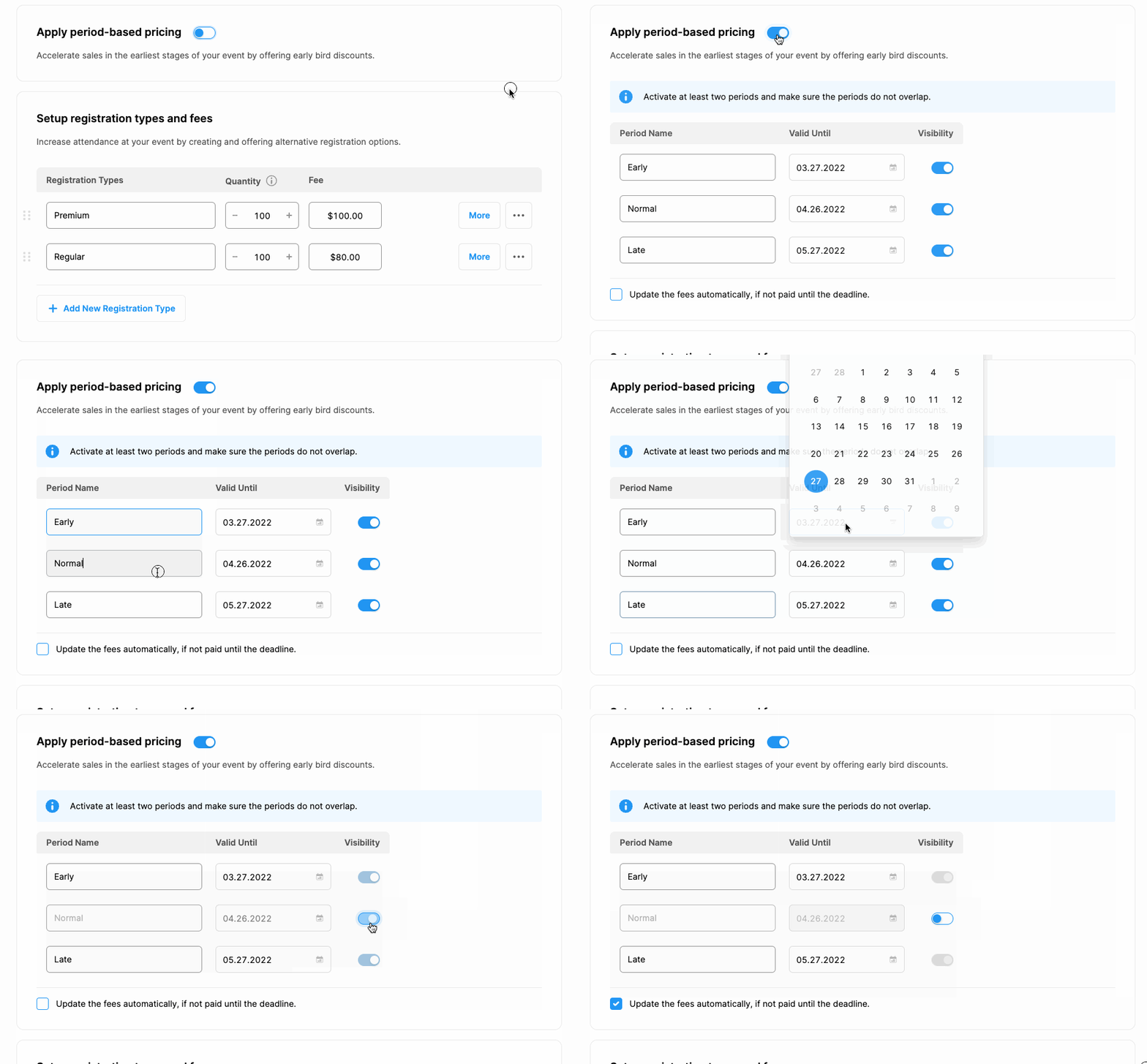
Mark the check-box under the table, if you want the registration fees to be updated, in case the payments are not made until the deadlines.

Setup registration types and fees
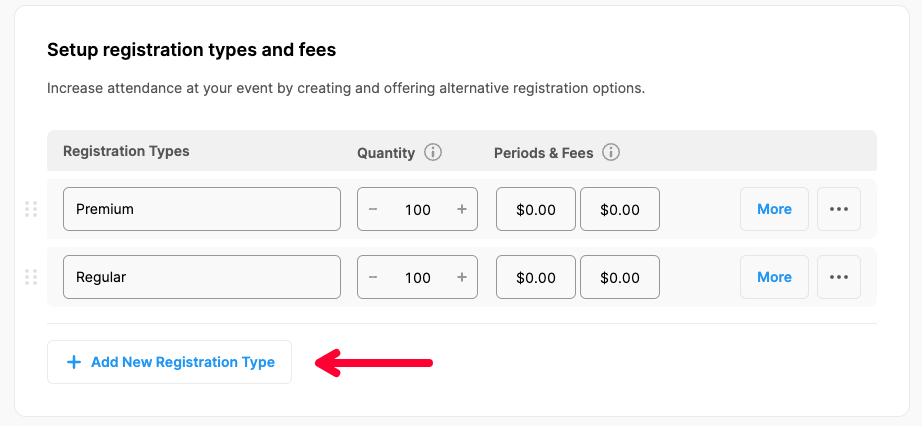
By default, the system brings two different registration types, quotas, and prices; you can always change them and add new registration types with quotas and fees by clicking the ‘Add new Registration Type’ button or delete any type by clicking the three dots next to it and clicking ‘Remove’.
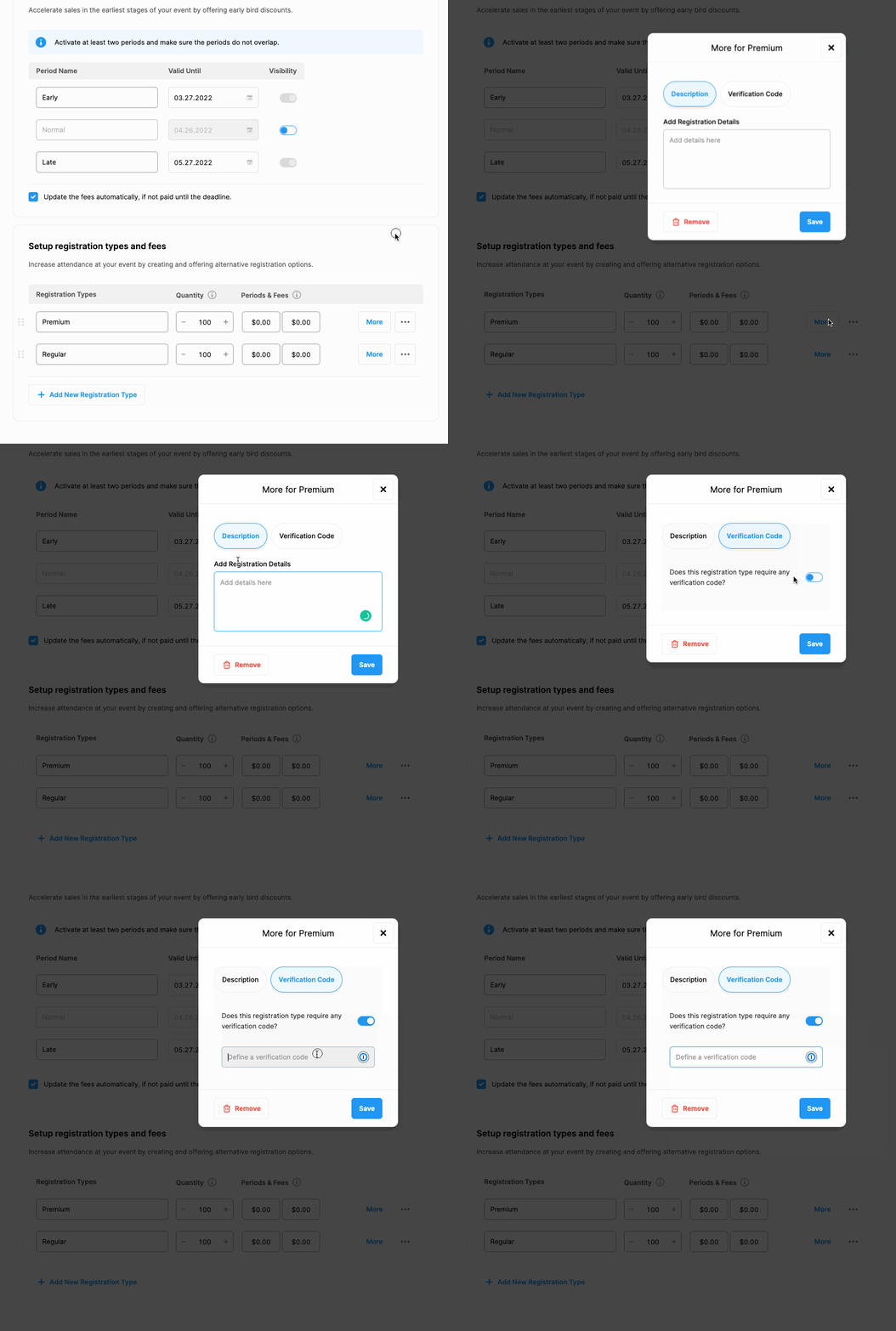
By clicking the 'More' buttons next to each registration type, you can add details about the registration types or create a verification code to make a particular registration type a specific registration option only for those who were given the code.
Comments
0 comments
Please sign in to leave a comment.