
You can customize and add questions or information banners to your registration form to collect information from participants during registration or provide guidelines to them.
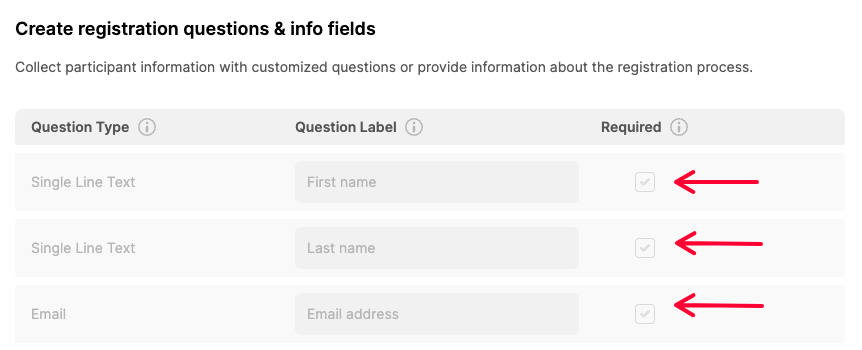
By default, the system adds three mandatory questions (First Name - Last Name & Email) to create participant accounts that cannot be removed or changed.
By clicking the ‘Add New Question Type’ button and selecting a suitable question type each time a new question can be added or customized.
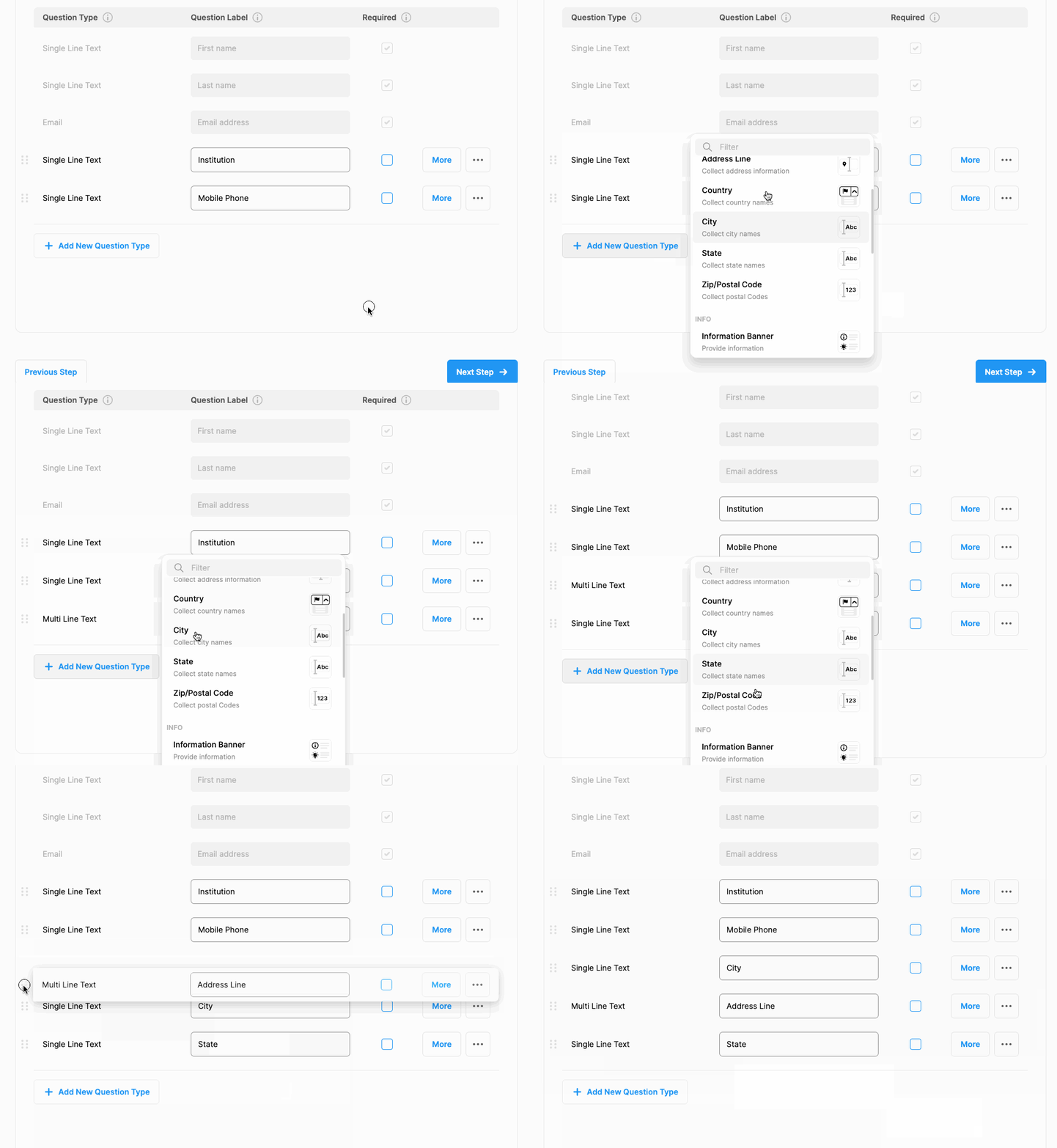
The question sentence can be edited in the ‘Question Label’ field. Answering the questions can be made mandatory by ticking the ‘Required’ box.

By clicking the 'More' button next to the questions.
- It can be determined which registration types the questions will be asked,
- Whether the answer is mandatory,
- An explanation or hint can be given about the question or,
- Style settings for answers can be made.
Questions can be deleted by clicking the three dots next to them and ‘Remove’.
Comments
0 comments
Please sign in to leave a comment.