
Before the audience can participate in online sessions, the sessions must be started and made live by their hosts or by the event owners.
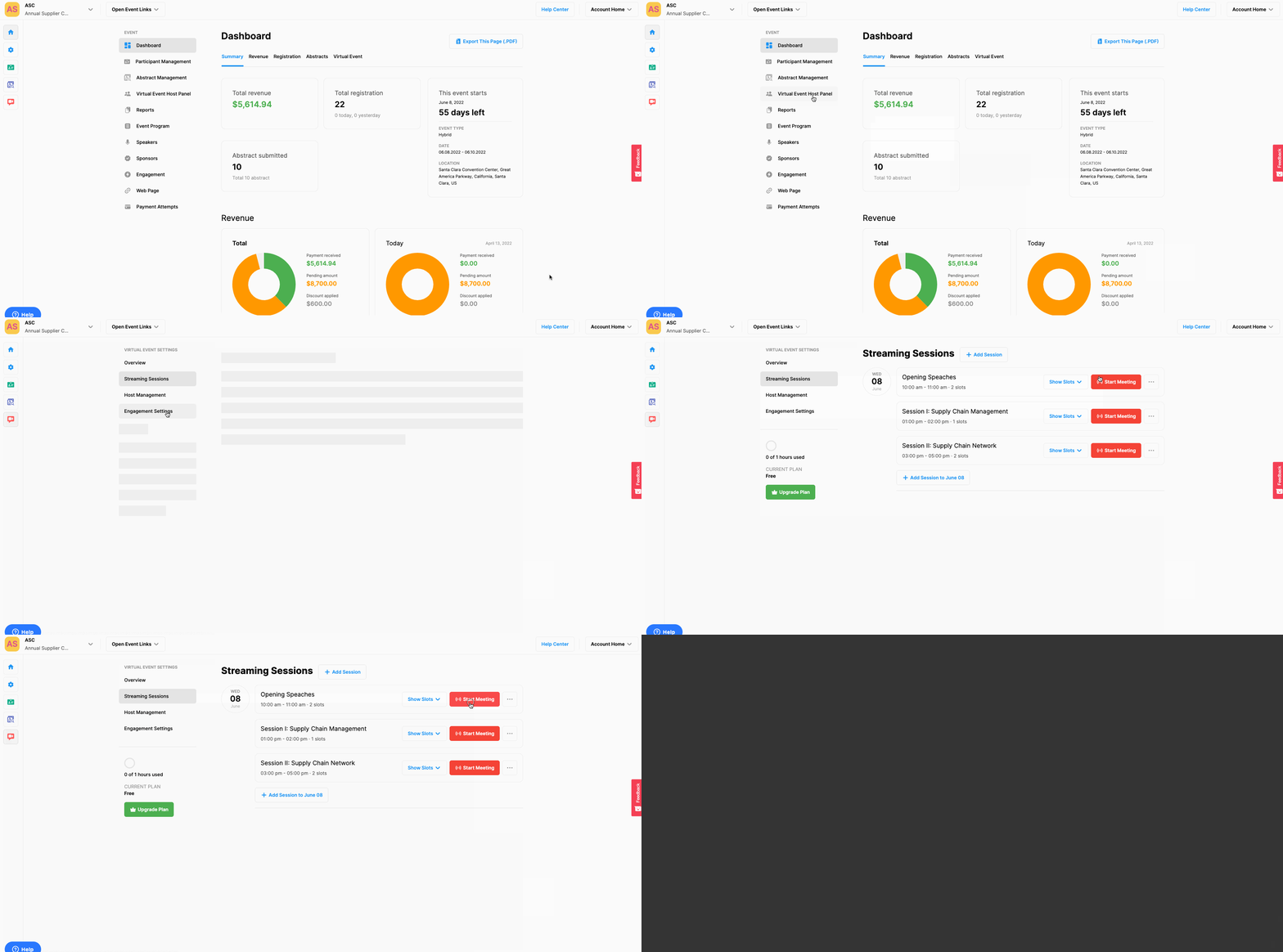
To start a session as the event owner
Choose the Virtual Event Host Panel from Event Home,
Click the ‘Start Meeting’ button of the session you wanted to start,
Click the ‘Start Meeting as Host’ button of the session.
To start a session as a host
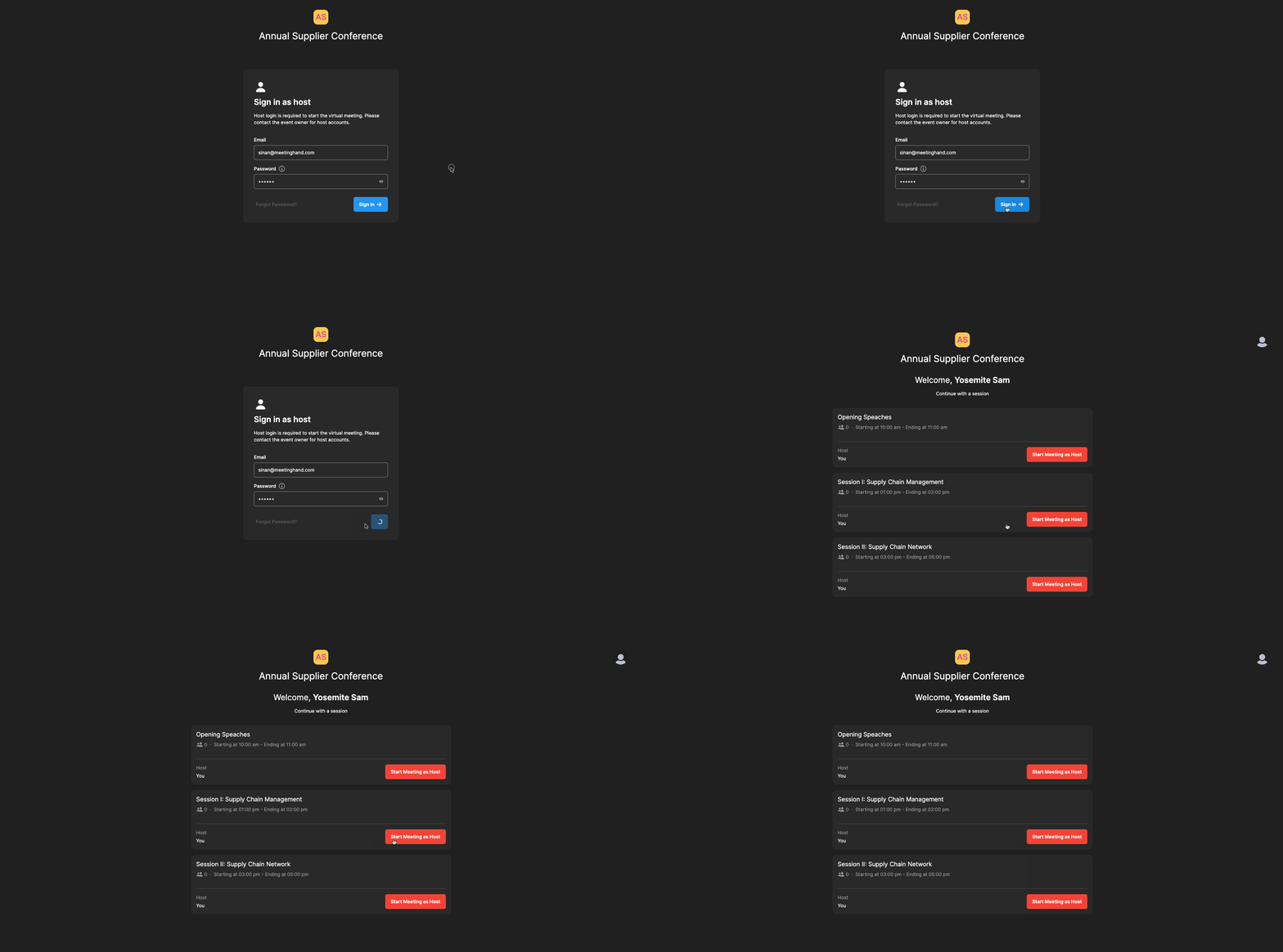
Log in to your host account by using the link, your host account email address, and your password sent to you by the host invite email,
Click the ‘Start Meeting as Host’ button of the session you wanted to start.
Comments
0 comments
Please sign in to leave a comment.