
If you want to ask a speaker to start his/her camera or microphone apply the steps below;
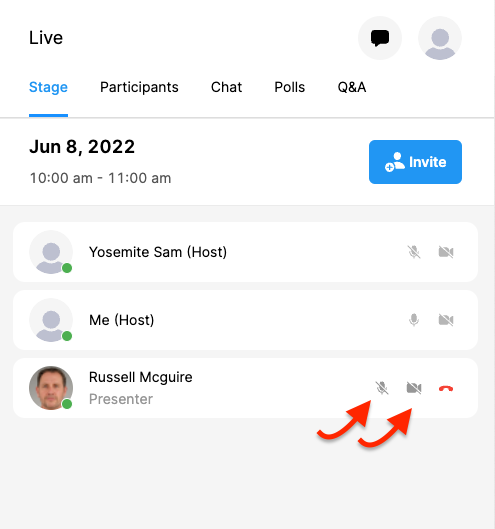
Find the speaker’s name on the stage area,
Click the camera icon next to the participant’s name,
(The system displays your invitation on the participant’s screen and when the participant approves it, the camera or microphone starts.)
IMPORTANT: Only the participants who are invited to the stage can use their microphones and cameras. So, you must invite a participant to the stage before requesting to open his/her camera or microphone. (Click here to see more to learn how to invite a participant to the stage)
Comments
0 comments
Please sign in to leave a comment.