
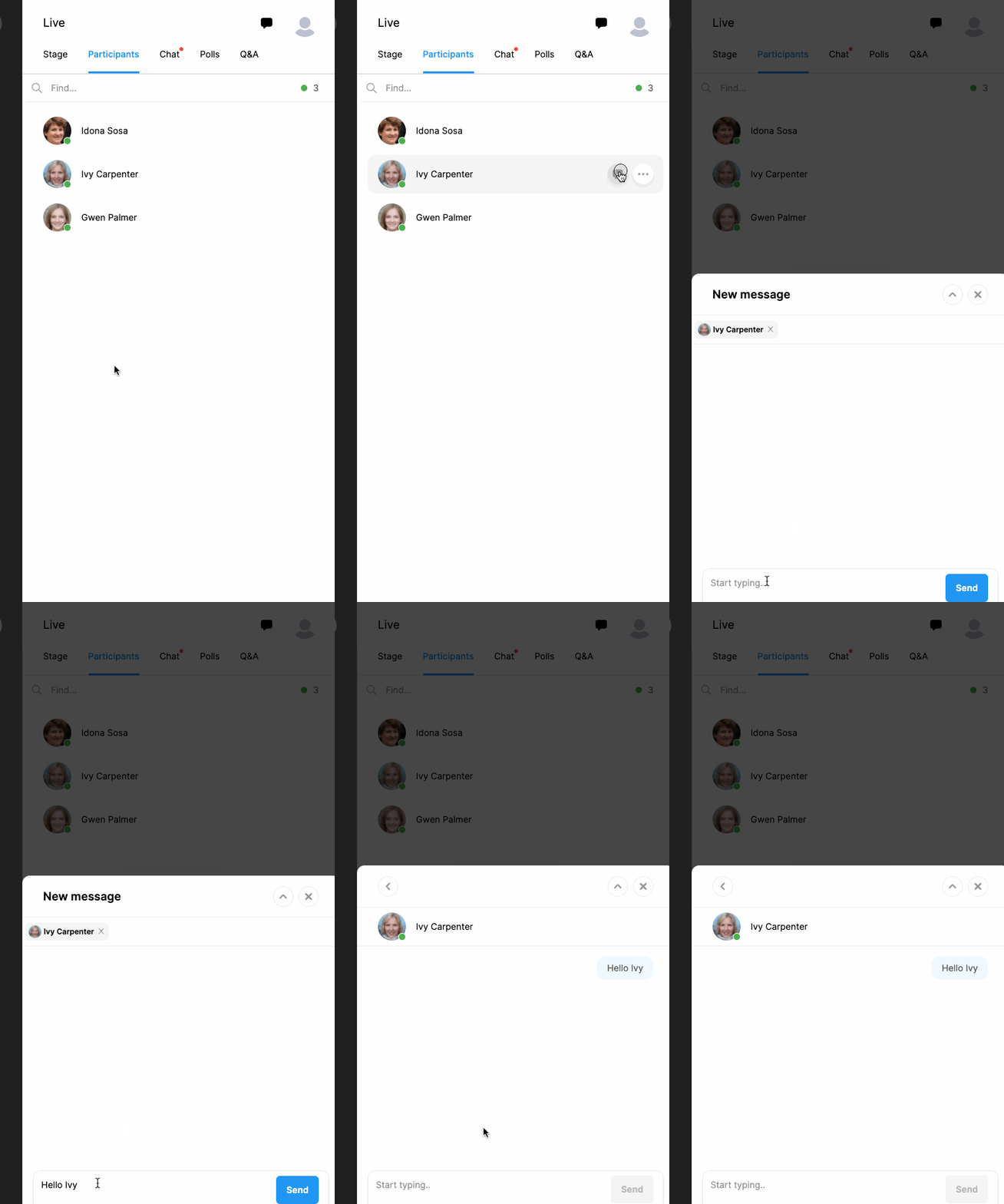
If you need to send a private chat message to a particular participant there are two alternative ways to start the chat;
The first option is to find the participant’s name under the ‘Participants’ tab on the right side and click the chat icon next to the participant’s name.
The second option is to click the chat icon next to your host avatar and find the participant’s name.
Then you can write your chat message in the field where it says ‘Start typing’,
Click the ‘Send’ button for each message you want to send.
Note that the chat messages are displayed in the chat pane or a notification for the unread chat messages will be displayed over the ‘Chat’ tab.)
You can end the chat by clicking the ‘X’ button at the corner of the chat field.
Comments
0 comments
Please sign in to leave a comment.