If you want to remove a chat message from the chat pane on the right side,
Click the three dots next to the chat line and then,
Click the ‘Remove’ option.
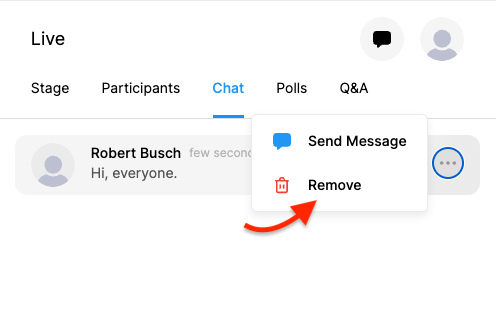

If you want to remove a chat message from the chat pane on the right side,
Click the three dots next to the chat line and then,
Click the ‘Remove’ option.
Comments
0 comments
Please sign in to leave a comment.