
If you have created some virtual sessions before, but need to update them or add new ones, follow the steps below;
Choose ‘Virtual Event’ from the left side menu,
Choose the ‘Streaming Sessions’ option under the ‘VIRTUAL EVENT SETTINGS’ title,
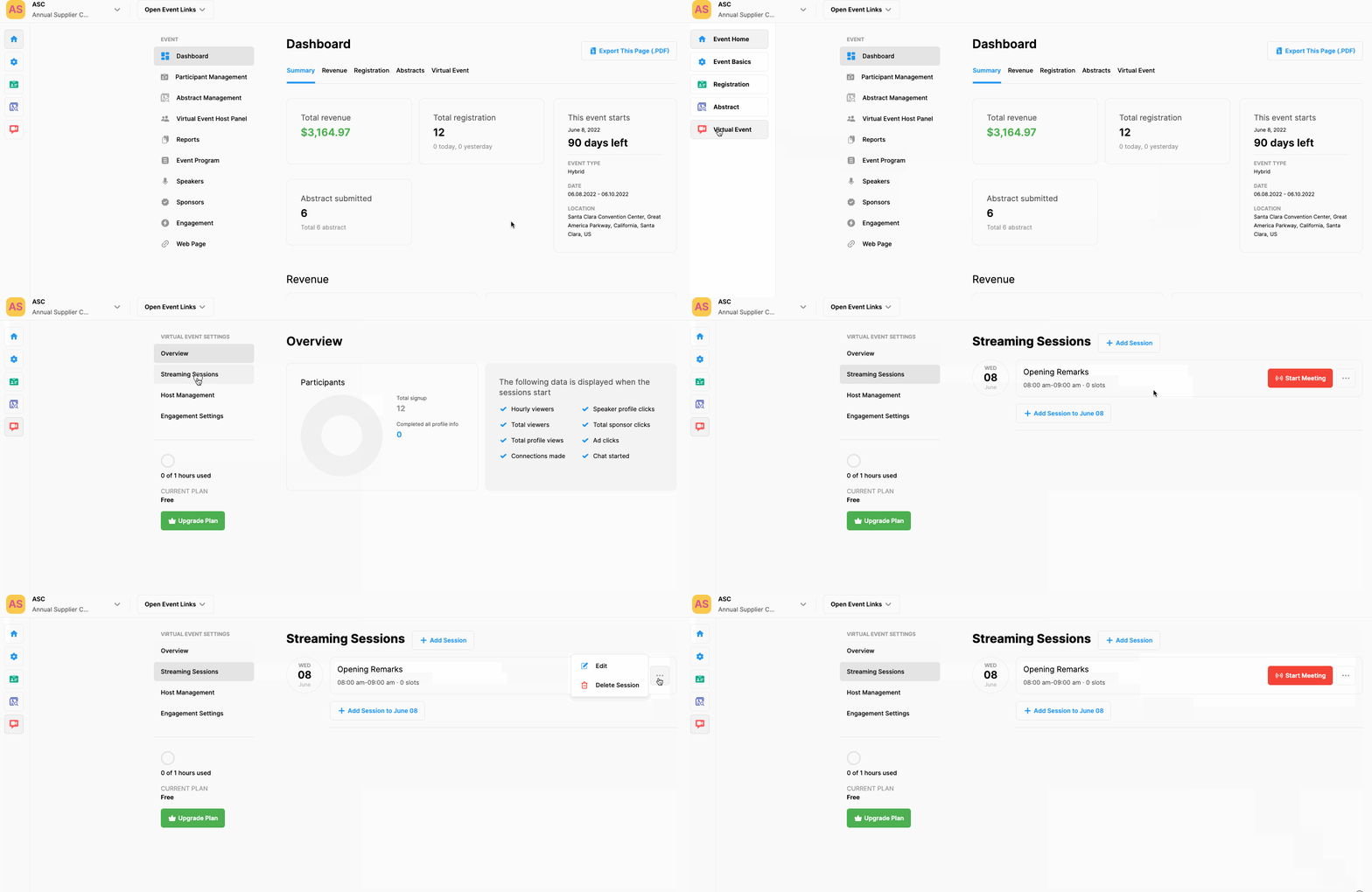
To create a new session,
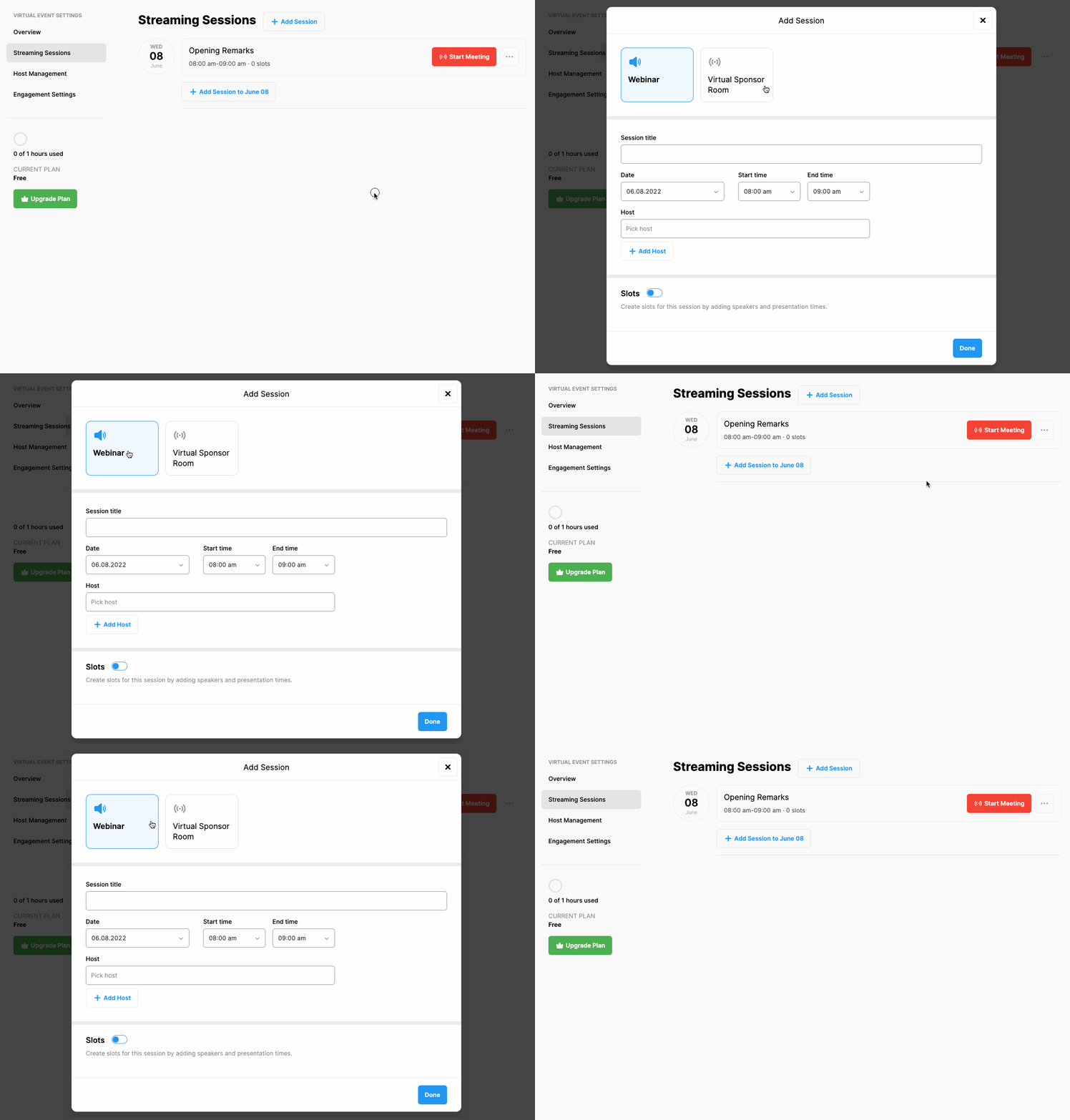
Click the ‘Add Session’ button located at top of the page, fill in the session form and click the ‘Done’ button
To edit an existing session,
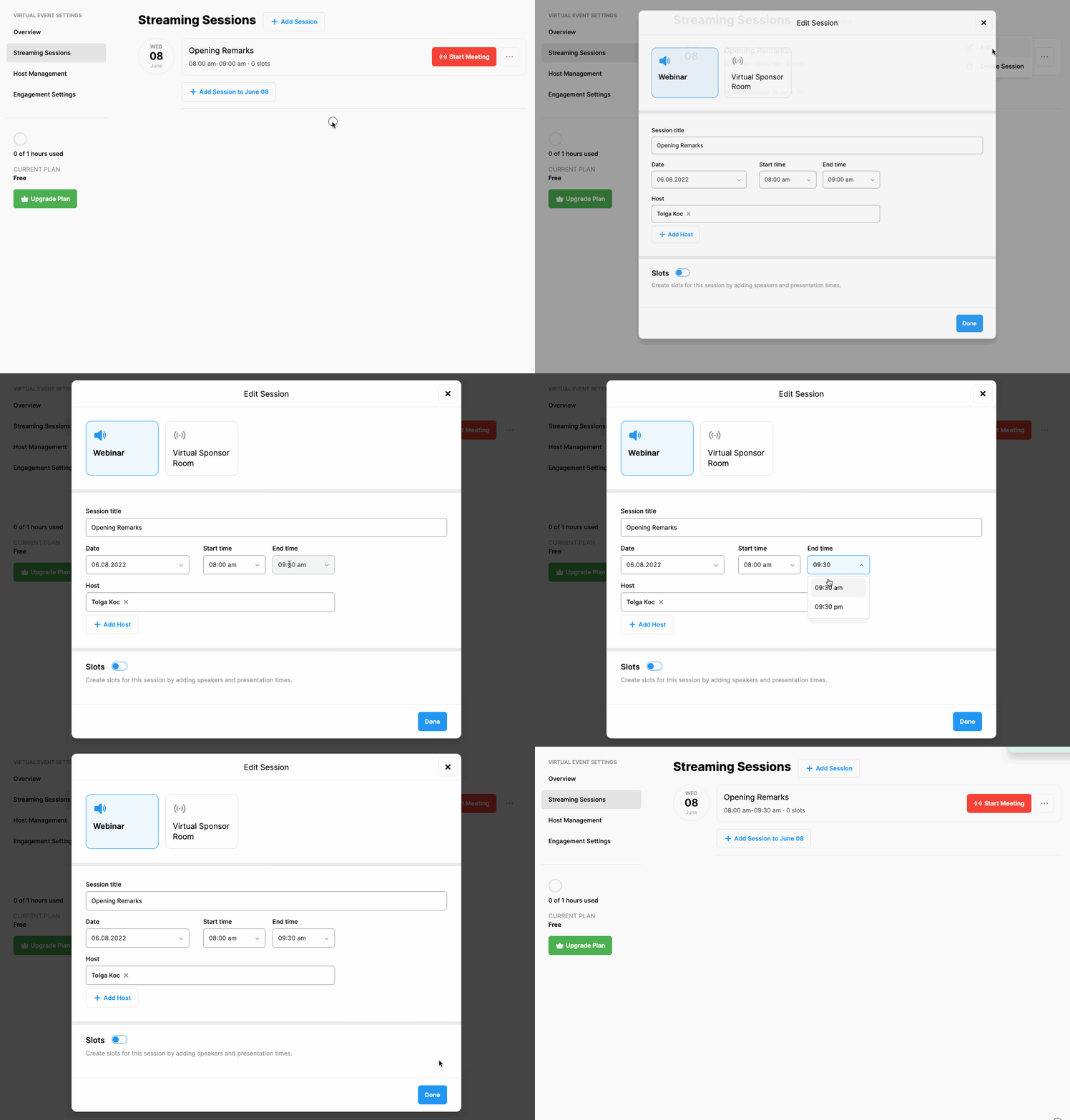
Click the 3 dots next to the session you want to edit, choose the ‘Edit’ option in the menu and make the changes you need in the session form,
Click the ‘Done’ button to save the changes
Comments
0 comments
Please sign in to leave a comment.