
You may assign hosts to your webinars or virtual sponsor rooms you created, if someone else will be hosting them other than the MeetingHand account holder, by applying the steps below;
Choose ‘Virtual Event’ from the left side menu,
Choose the ‘Streaming Sessions’ option under the ‘VIRTUAL EVENT SETTINGS’ title,
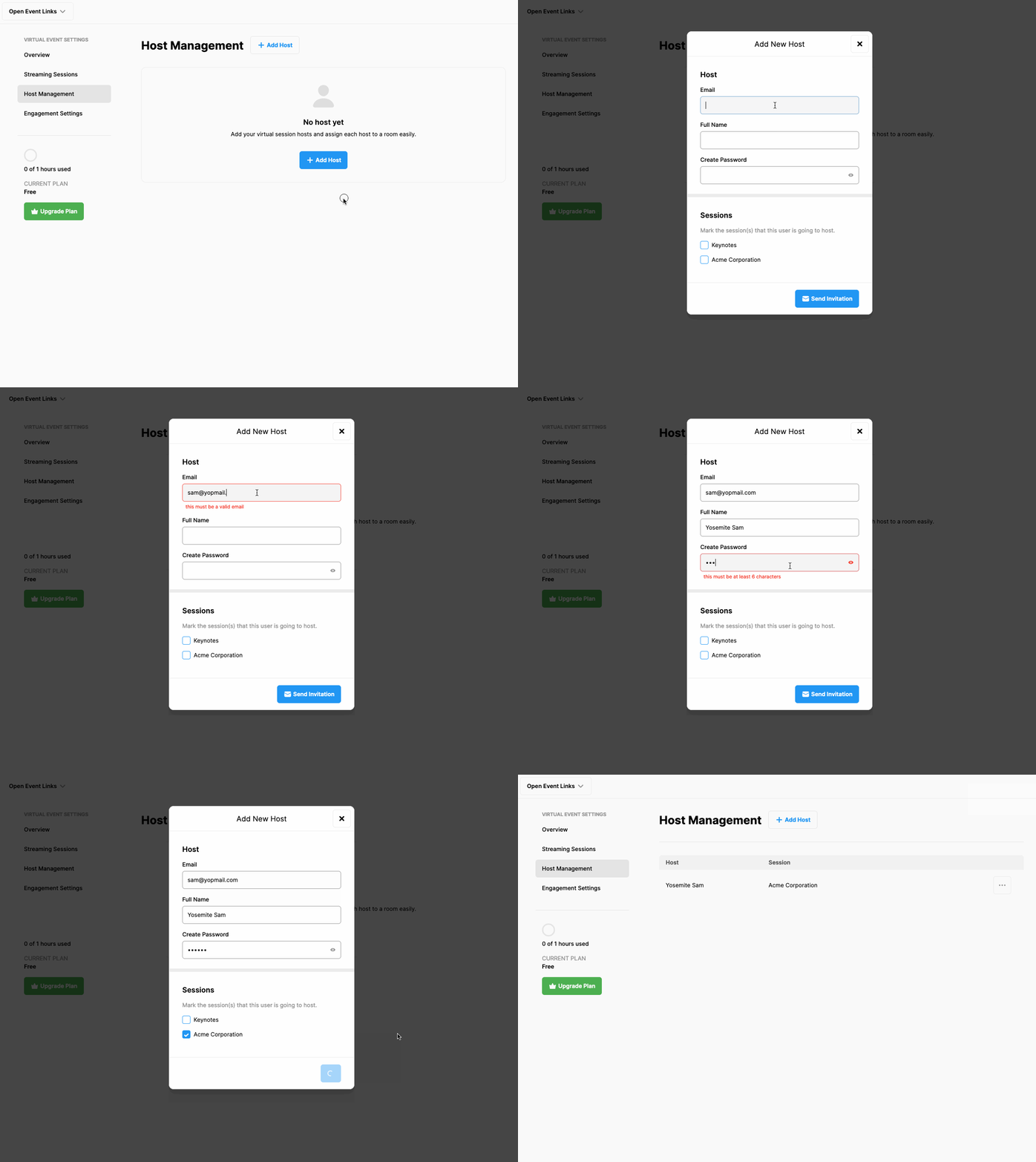
Click the ‘Host Management’ option under the ‘VIRTUAL EVENT SETTINGS’ title,
Click the ‘Add Host’ button and fill in the host information,
Mark the sessions the host will be conducting, (if you haven’t created a session yet, you may assign the sessions to the host after you created them)
Click the ‘Send Invitation’ button,
Repeat the same steps to add more hosts.
Comments
0 comments
Please sign in to leave a comment.