
If you created some ‘Additional Services’ during the settings phase you can also add those services to the existing participant accounts from the admin panel manually by applying the steps below;
Click ‘Event Home’ from the left side menu,
Choose ‘Participant Management’ menu item under the ‘EVENT’ menu,
Find and click on the participant’s name on the participant list on the left side,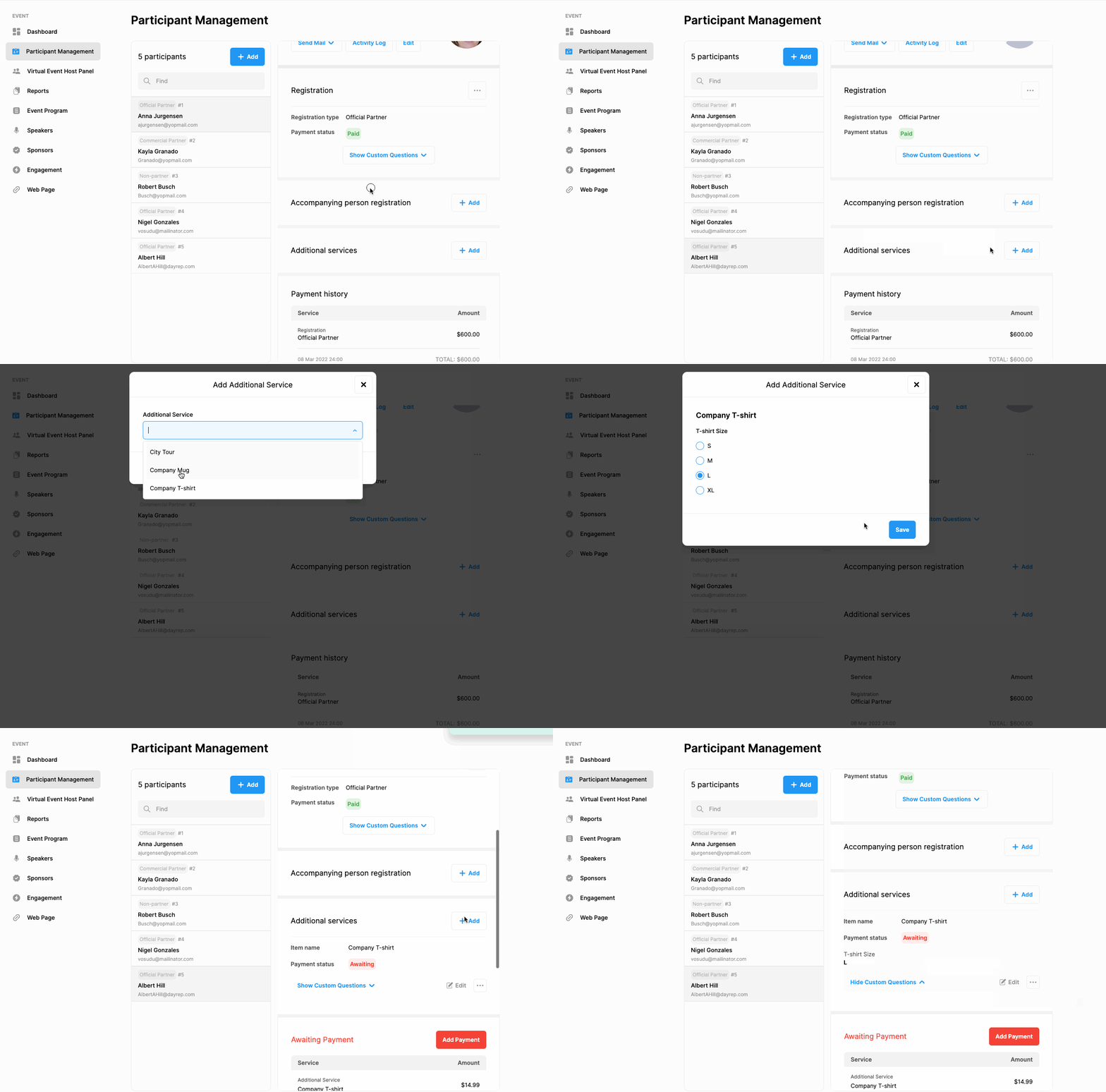
Scroll down and find the ‘Additional Services’ title in the participant information area,
Click the ‘Add’ button next to the ‘Additional Services’ title,
Choose the service you wish to add,
If there are questions asked to book the service, answer them,
Click the ‘Save’ button.
Comments
0 comments
Please sign in to leave a comment.