
If you switched on and allowed accompanying persons in the ‘Registration Settings/Accompanying Person Registration’ settings page, you can add accompanying person registrations to an existing participant account by applying the following steps.
Click ‘Event Home’ from the left side menu,
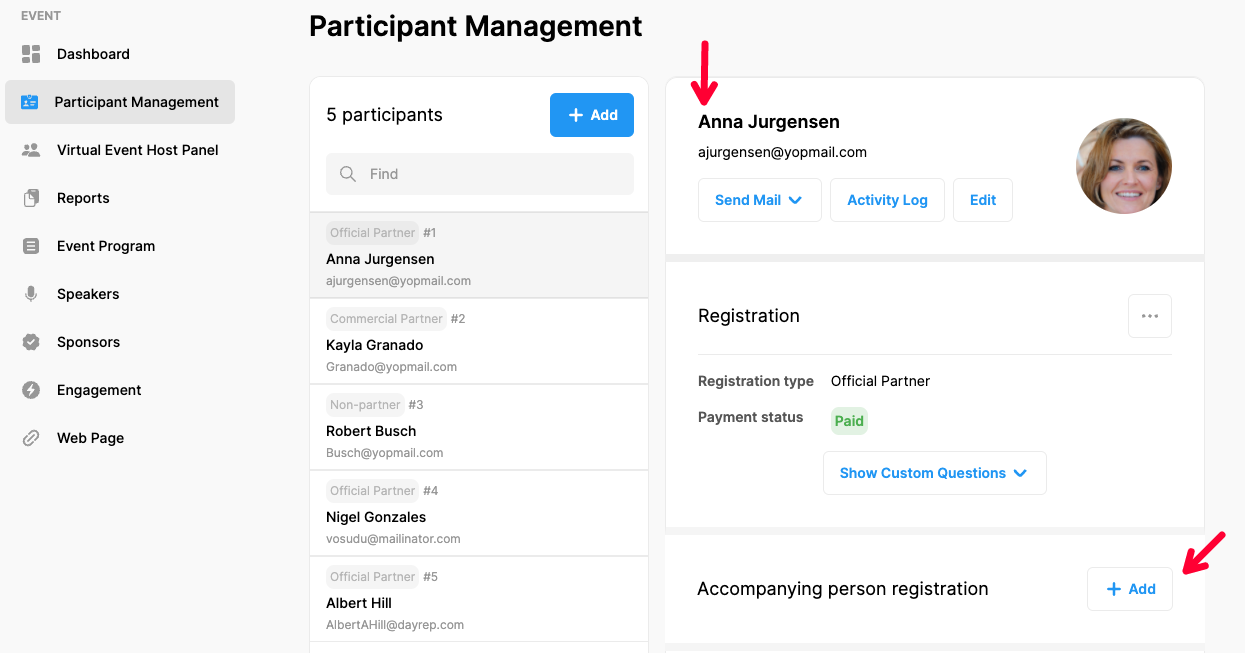
Choose ‘Participant Management’ menu item under the ‘EVENT’ menu,
Find and click on the participant’s name on the participant list on the left side,
Click the ‘Add’ button next to the ‘Accompanying Person Registration’ title,
Fill in the accompanying person information and ‘Save’ the form.
Comments
0 comments
Please sign in to leave a comment.