
All payments you receive, except online ones, must be added to the system manually. To add a payment manually from the admin panel, follow the steps below.
Click ‘Event Home’ from the left side menu,
Choose ‘Participant Management’ menu item under the ‘EVENT’ menu,
Find and click on the participant’s name on the participant list on the left side,
Scroll down, find the ‘Awaiting Payment’ title in the participant information area and click ‘Add Payment’,
Select the services you want to add a payment to,
Select the payment method as ‘Online’ or ‘Offline’,
Fill in the payment information of the participant,
Click the ‘Add Payment’ button to save the payment.
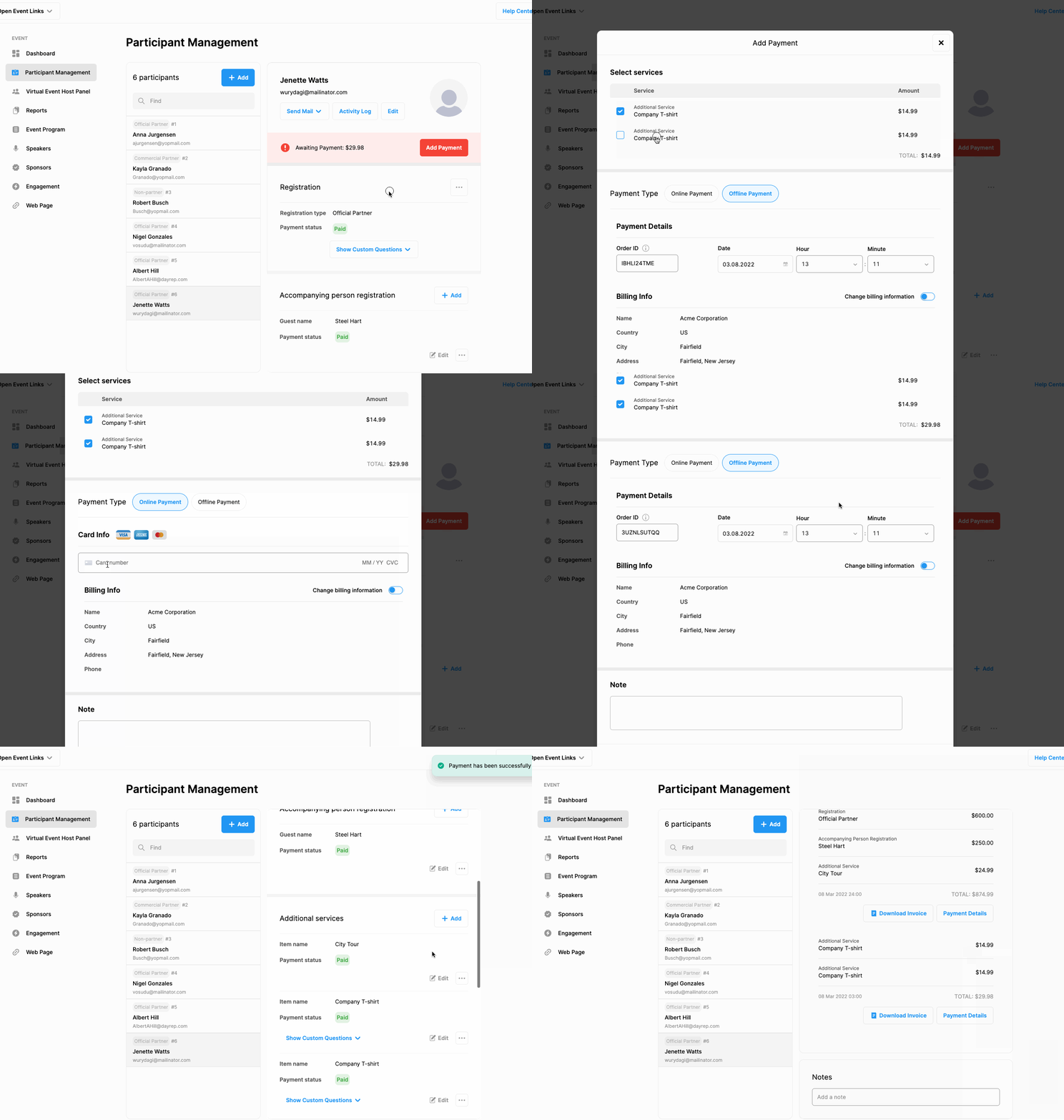
Note that the system automatically generates an Order ID for each offline payment and payments are recorded accordingly.
Comments
0 comments
Please sign in to leave a comment.