
Payments are listed and can be monitored at the ‘Payment History’ section of a participant account page. If you need to delete a specific payment, apply the following steps;
Click ‘Event Home’ from the left side menu,
Choose ‘Participant Management’ menu item under the ‘EVENT’ menu,
Find and click on the participant’s name on the participant list on the left side,
Scroll down and find the ‘Payment History’ title in the participant information area,
Click the ‘Payment Details’ button of the payment you need to delete,
Click the ‘Delete Payment’ button at the bottom of the form,
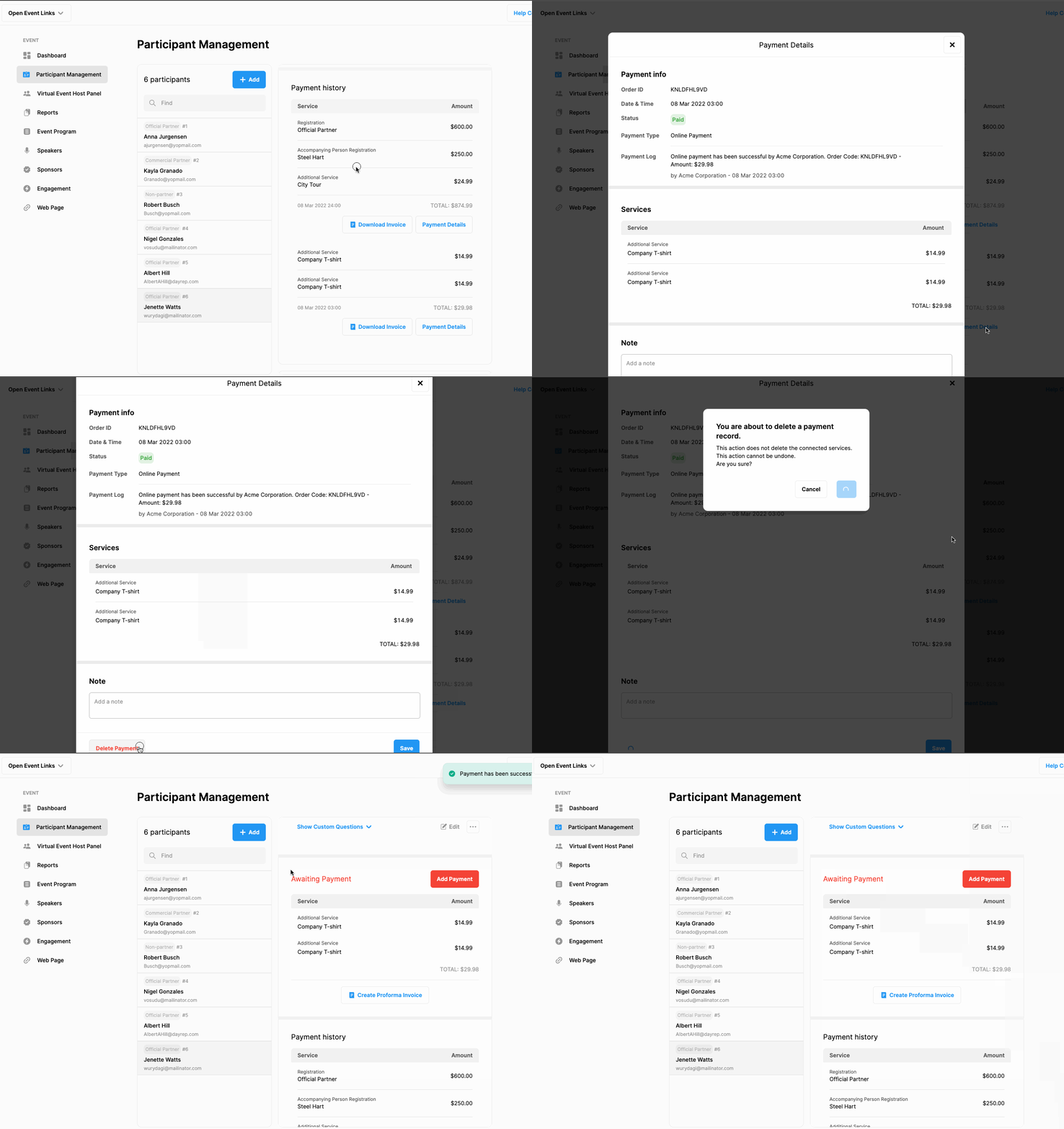
If there is a one-time payment for multiple services and you only want to delete the payment for one specific service from the list, then you must delete the service itself from which the payment was made. Deleting a service also removes the record of payment for that service only.
IMPORTANT: Note that, this action does not delete the services connected to the payment you delete but only changes the ‘Paid’ status to ‘Awaiting Payment. This action cannot be undone.
Comments
0 comments
Please sign in to leave a comment.