
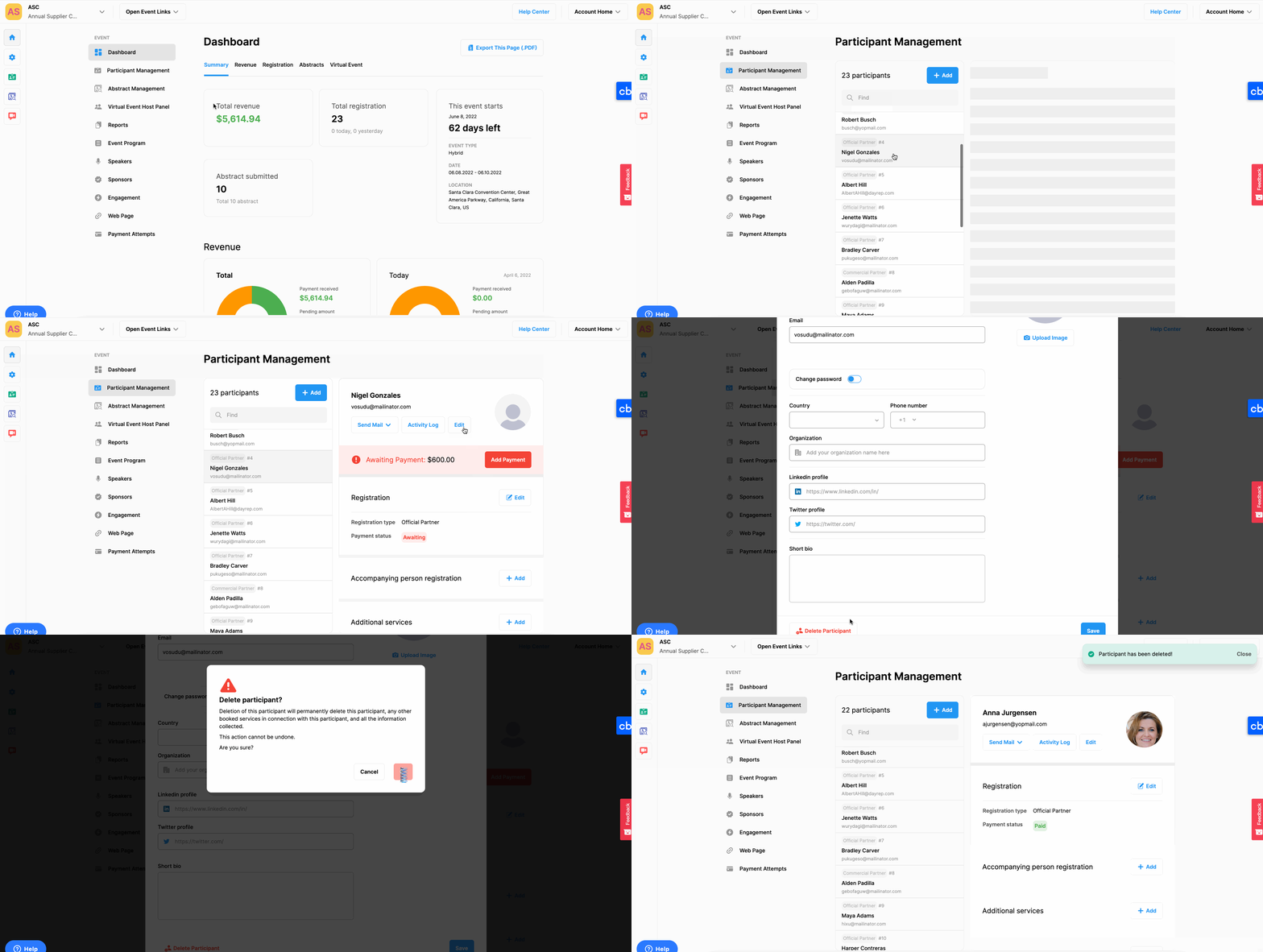
If you want to delete a participant registration apply the steps below;
Choose the ‘Event Home’ from the left side menu,
Choose the ‘Participant Management’ option under the ‘EVENT’ title,
Choose the participant you want to delete from the participant list on the left side,
Click the ‘Edit’ button under the participant’s name,
Click the ‘Delete Participant’ button under the participant form.
IMPORTANT:
Deleting a registration deletes the participant account, the registration type, any other booked services, and all the information collected during the registration for good.
This action cannot be undone or deleted records cannot be restored.
Comments
0 comments
Please sign in to leave a comment.