
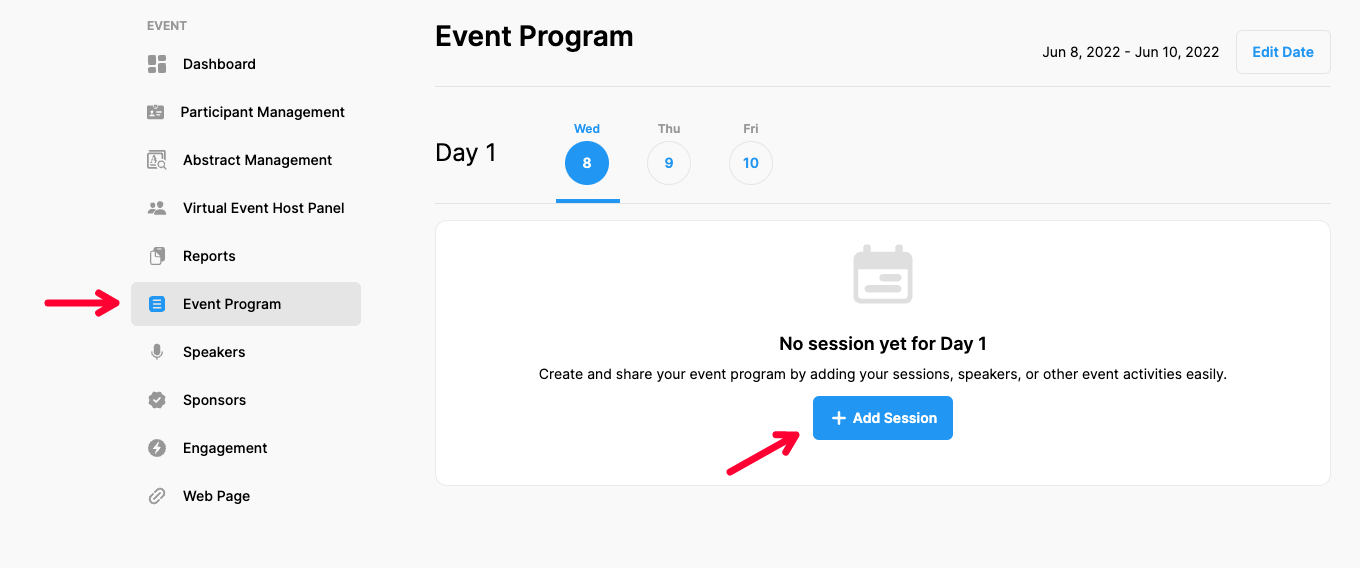
To add a new session to your event program, apply the steps below.
Choose ‘Event Home’ from the left side menu,
Choose the ‘Event Program’ option under the ‘EVENT’ title,
Choose a date you want to add a session,
Click the ‘Add Session’ button,
Make sure the ‘Session Info’ button is selected,
Fill in the session form by adding required details and explanations,
If so, mark the session as a ‘Break time’,
If you do not need to add ‘Presenters’ click the ‘Save’ button,
If you need to add ‘Presenters’ follow the steps as explained in the next article.
Comments
0 comments
Please sign in to leave a comment.