
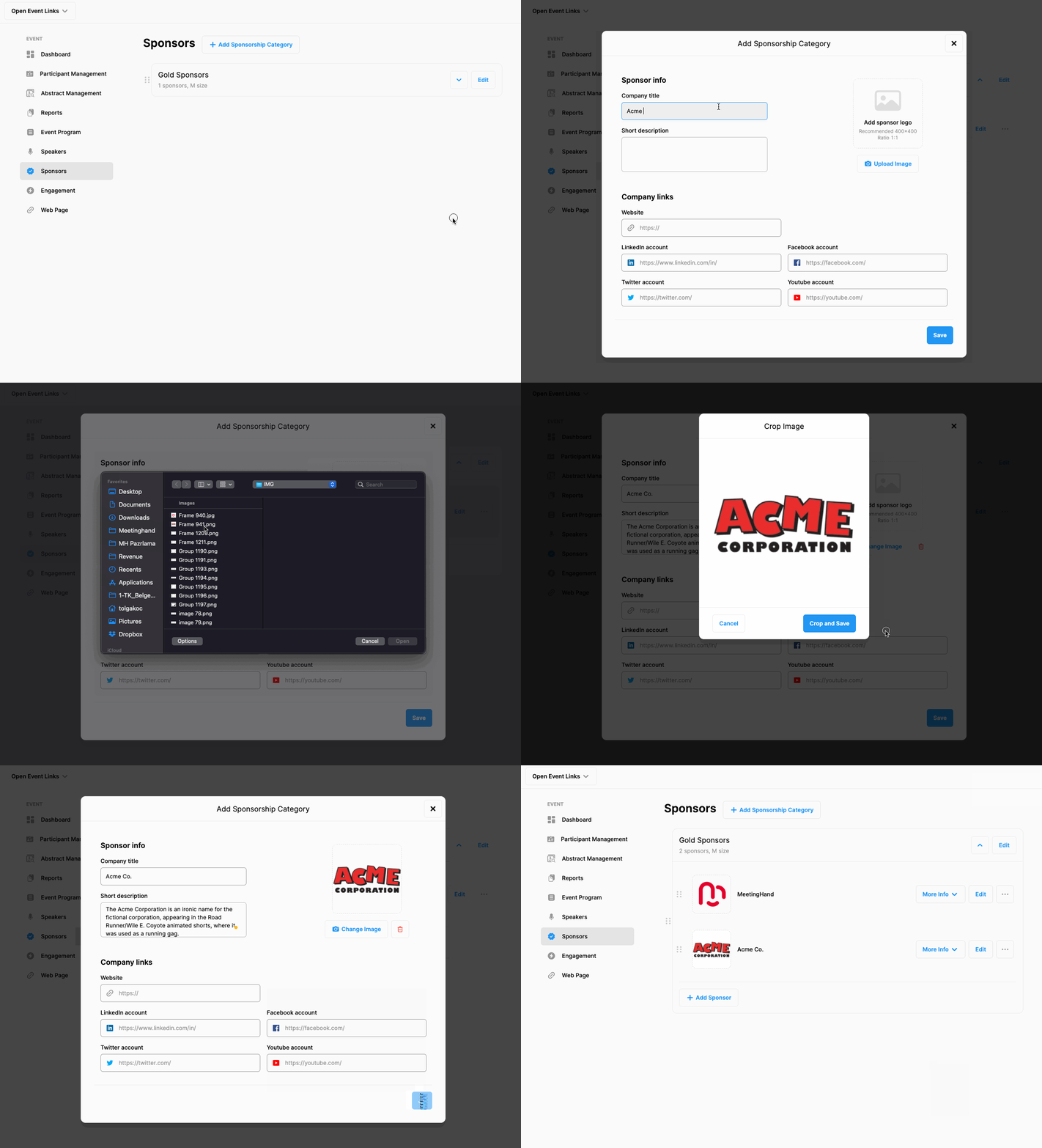
If you need to add new sponsors to an existing sponsorship category you created earlier, follow the steps below.
Choose ‘Event Home’ from the left side menu,
Choose ‘Sponsors’ option under the ‘EVENT’ title,
Click the arrowhead at the right side of the category you want to add a new sponsor,
Click the ‘Add Sponsor’ button,
Fill in the sponsor details and logo (400x400 pixel or 1:1 ratio),
Click ‘Save’
Repeat the steps above to add more sponsors.
Comments
0 comments
Please sign in to leave a comment.