
If you want, you can add presenter details in a session as follows.
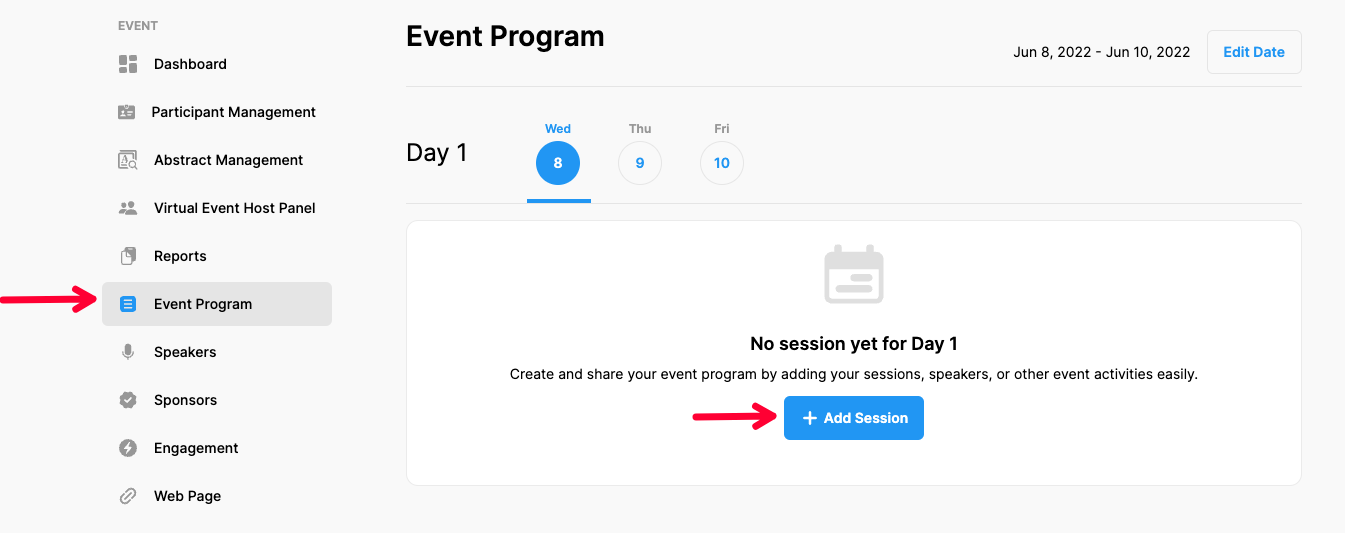
Choose ‘Event Home’ from the left side menu,
Choose the ‘Event Program’ option under the ‘EVENT’ title,
Choose a date you want to add a session,
Click the ‘Add Session’ button,
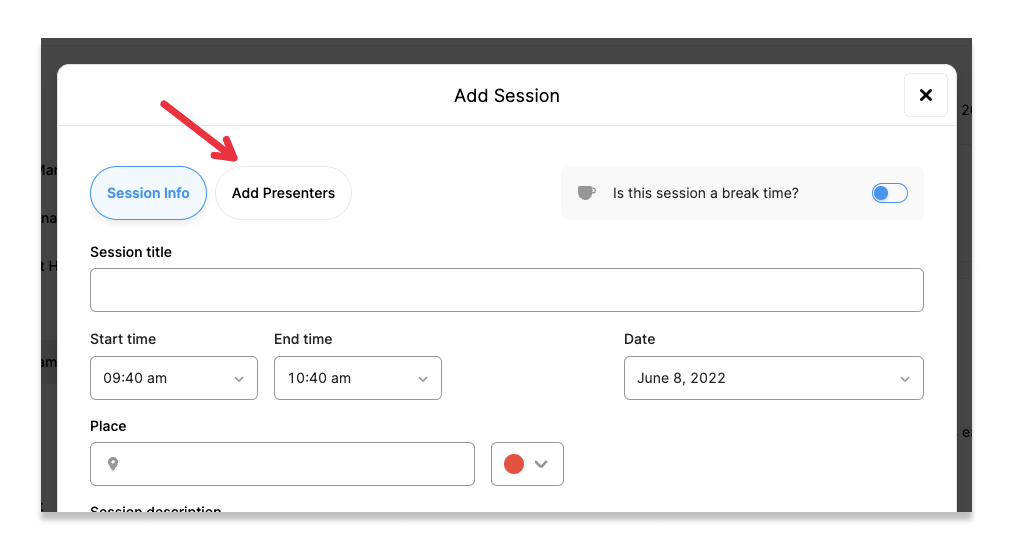
Click the ‘Add Presenters’ button at top of the session form,
To add Speakers
Note that, you should have added your speaker details in the ‘Speakers’ section before adding them to your program.
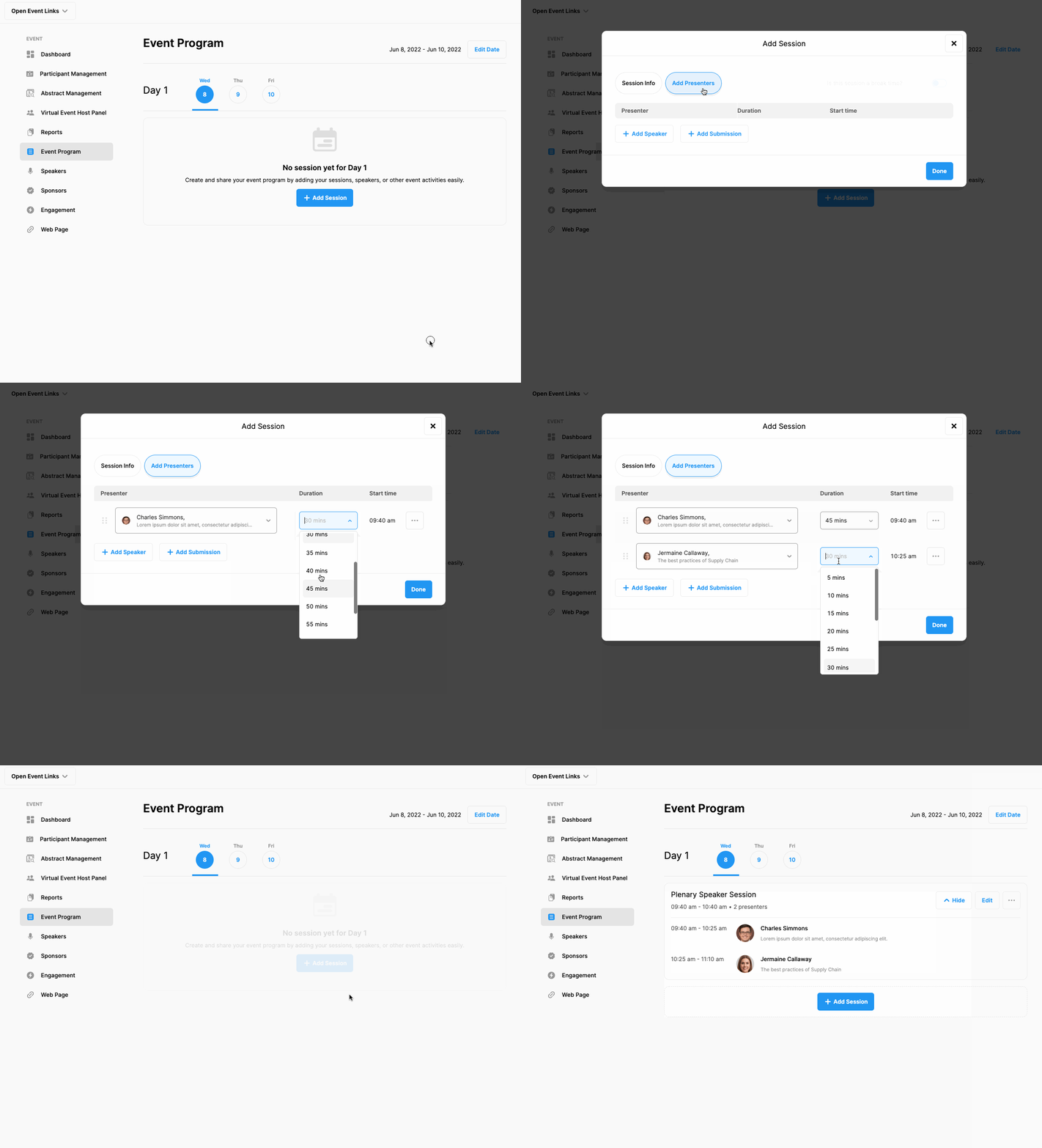
Click the ‘Add Speaker’ button,
Choose the speaker you want to add to the session from the list,
Set the allocated speaking time,
Repeat the steps to add more speakers,
Click the ‘Save’ button.
To add Submissions to be presented.
Note that, you should have started to collect submissions before adding them to your program.
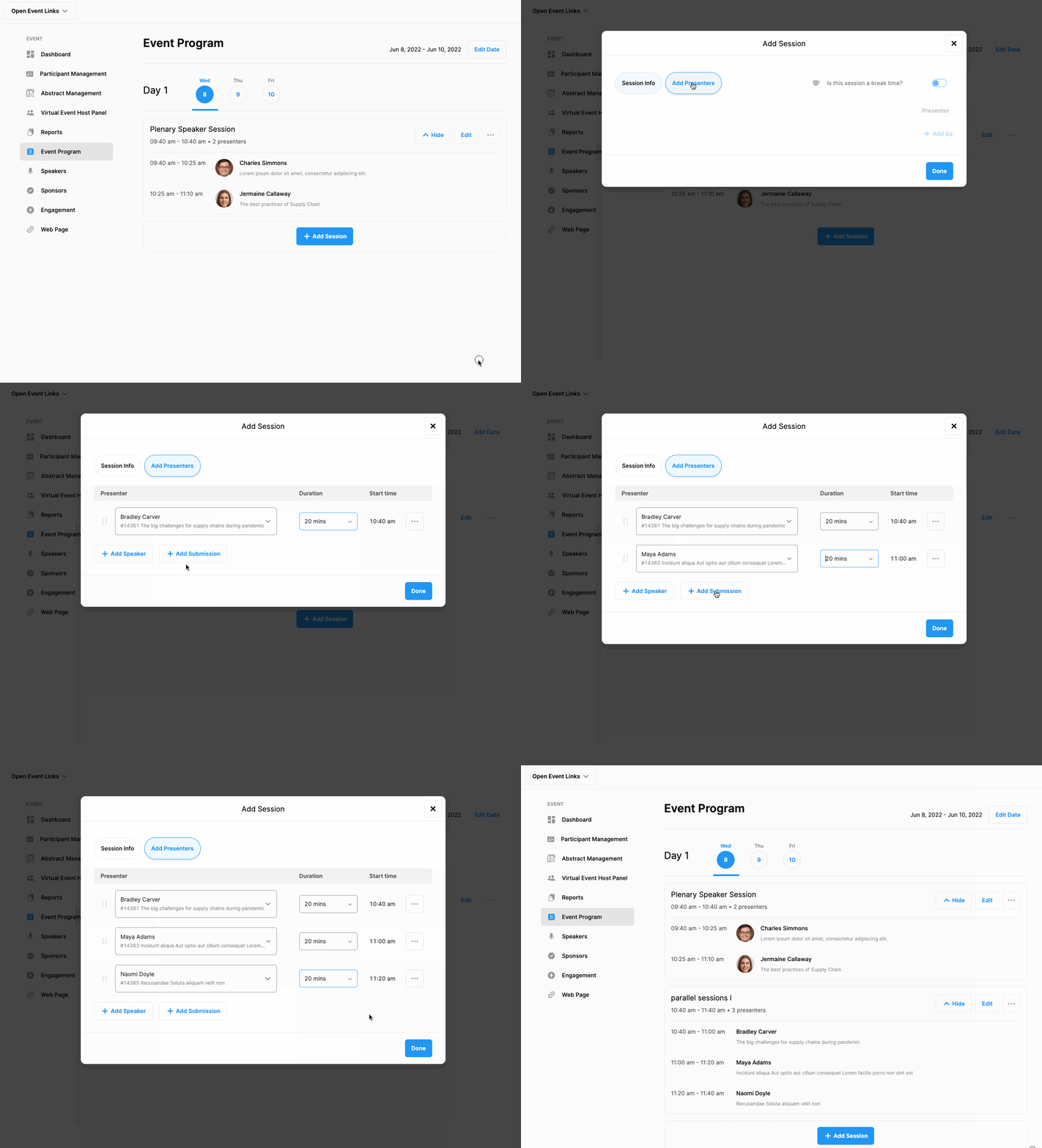
Click the ‘Add Submission’ button,
Choose the submission you want to add in the session from the list,
Set the allocated speaking time,
Repeat the steps to add more submissions,
Click the ‘Save’ button.
Comments
0 comments
Please sign in to leave a comment.