
You can follow your participant's online payments which were completed successfully or their failed payment attempts by applying the steps below;
Choose ‘Event Home’ from the left side menu,
Choose ‘Payment Attempts’ under the ‘EVENT’ title.
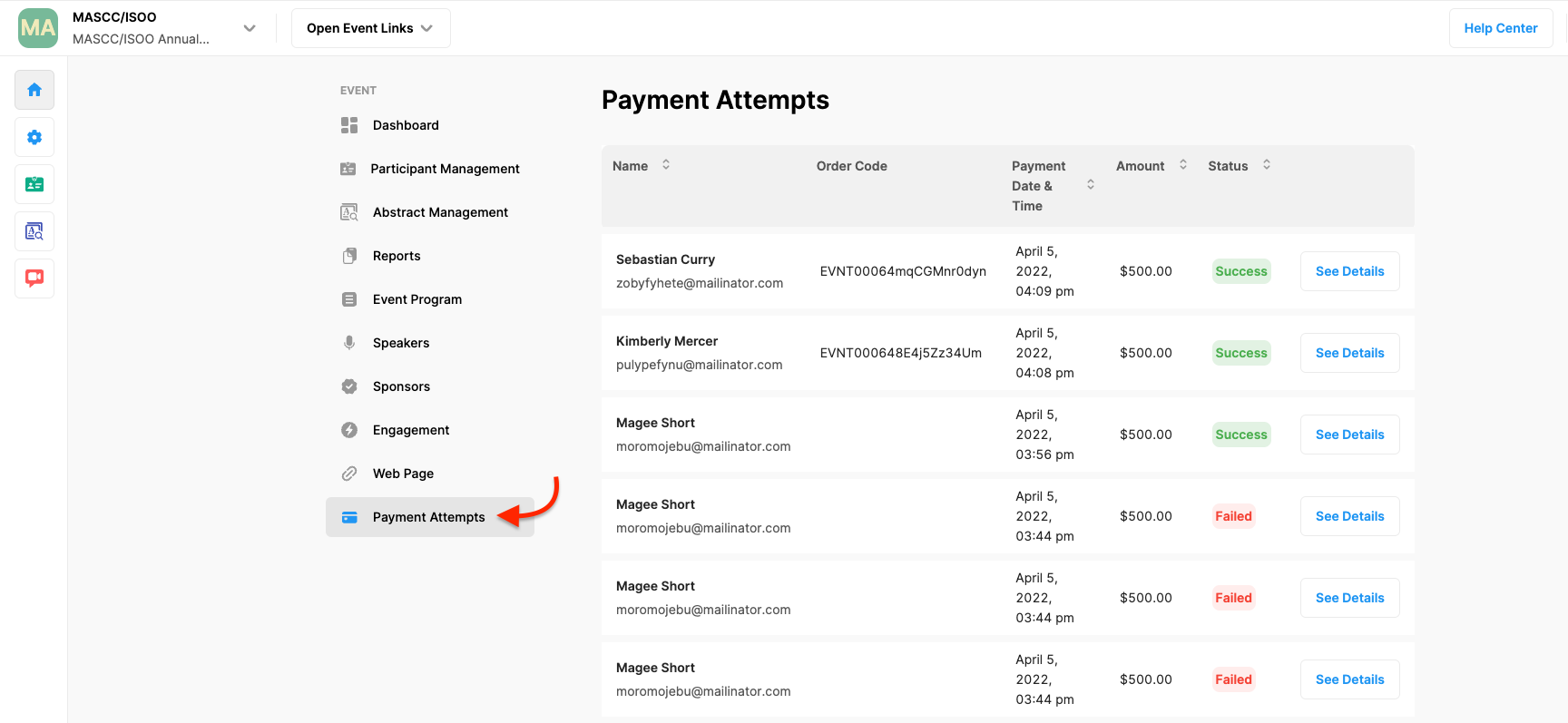
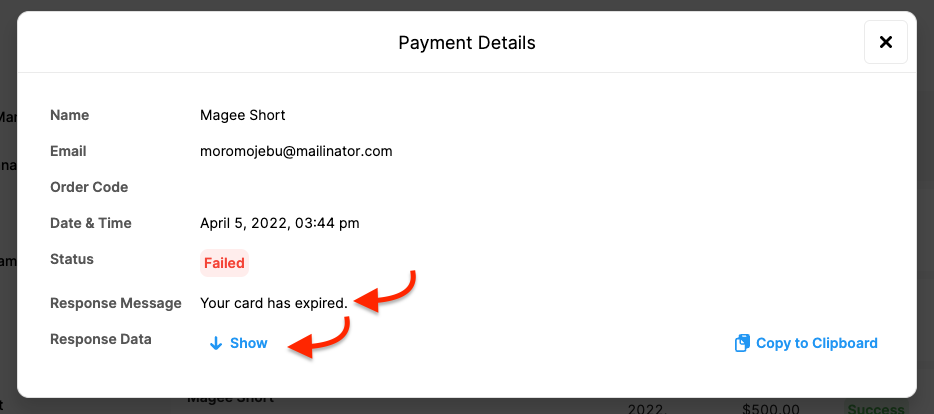
You can check the failed payment reasons by clicking the See Details button. Each payment processing tool has its own response messages to see the detailed response data click the Show button.
Comments
0 comments
Please sign in to leave a comment.