
You can limit the submission period with a start and a deadline or limit the number of submissions according to a presentation or registration types by applying the steps below;
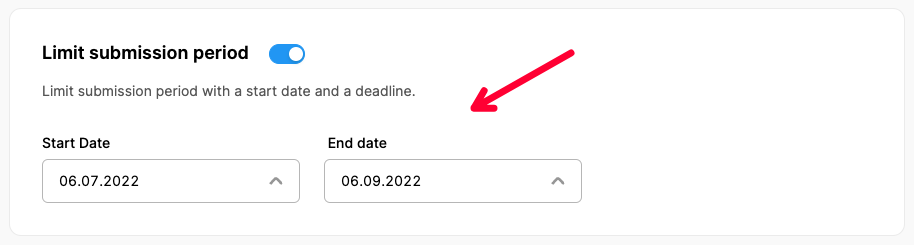
Limit submission period
Switch on and set the start date and the deadline for submissions.
Limit number of submissions
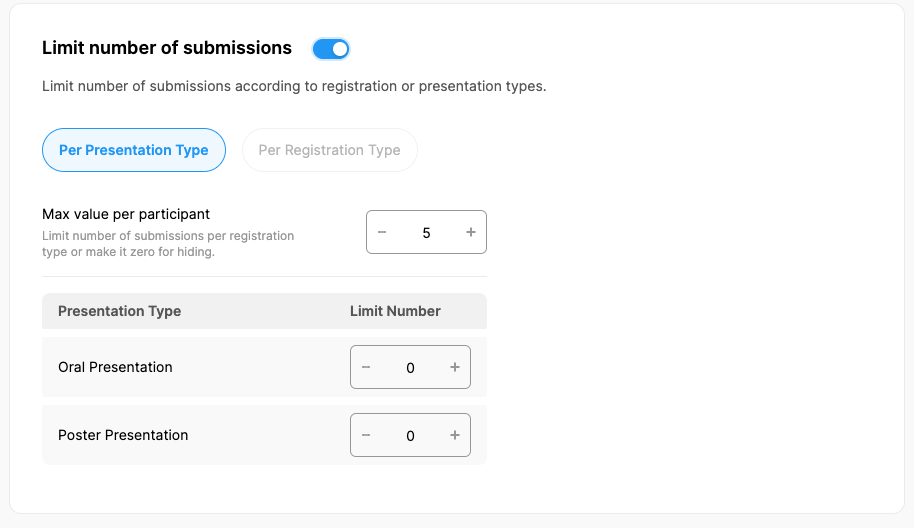
Submissions can be limited per presentation type or per registration type.
Per Presentation Type: If presentation types were defined in the previous steps, you can define the maximum number of allowed submissions for each type. A limit can also be defined for the maximum allowed number of submissions for each participant.
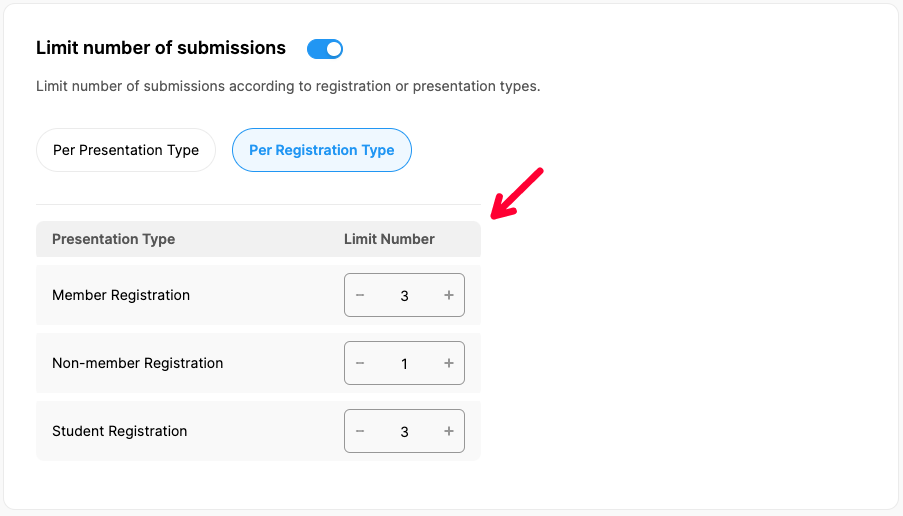
Per Registration Type: If the number of abstract submissions is to be limited according to the registration type, the registration module must be active and the registration types must be defined in the previous steps. Then you can define a submission limit for each registration type.
Per Submitter: If you set up only Abstract Submission Form you can limit submission according to the submitter. Once the submission limit is set submitters will not be able to submit more abstracts than the limit you have defined. This helps you control the number of submissions and manage the abstract submission process according to your requirements.
Comments
0 comments
Please sign in to leave a comment.