
Choose ‘Abstract’ from the left side menu,
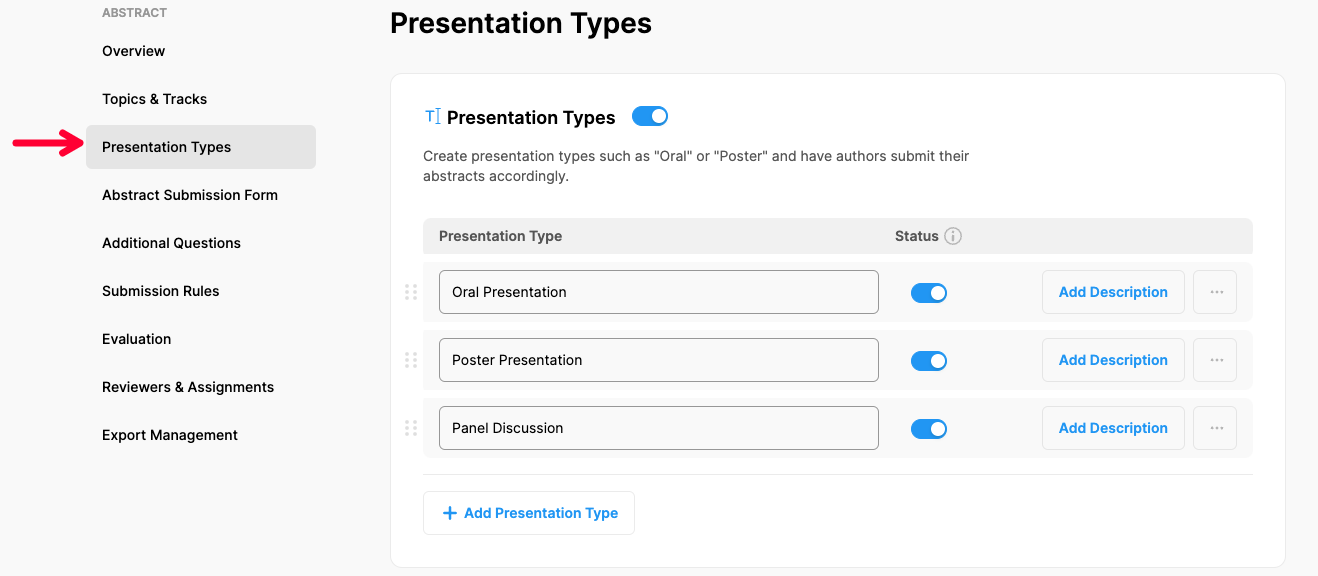
Choose ‘Presentation Types’ option under ‘ABSTRACT’ title,
If you need to disable presentation types, switch off the ‘Presentation Types’ title
Edit the presentation types you need to update,
Switch off to presentation types you need to disable,
Click the ‘Add Description’ button to add an explanation as a tooltip,
Click 3 dots next to a type you need to remove and click ‘Remove’
Comments
0 comments
Please sign in to leave a comment.