
Choose ‘Abstract’ from the left side menu,
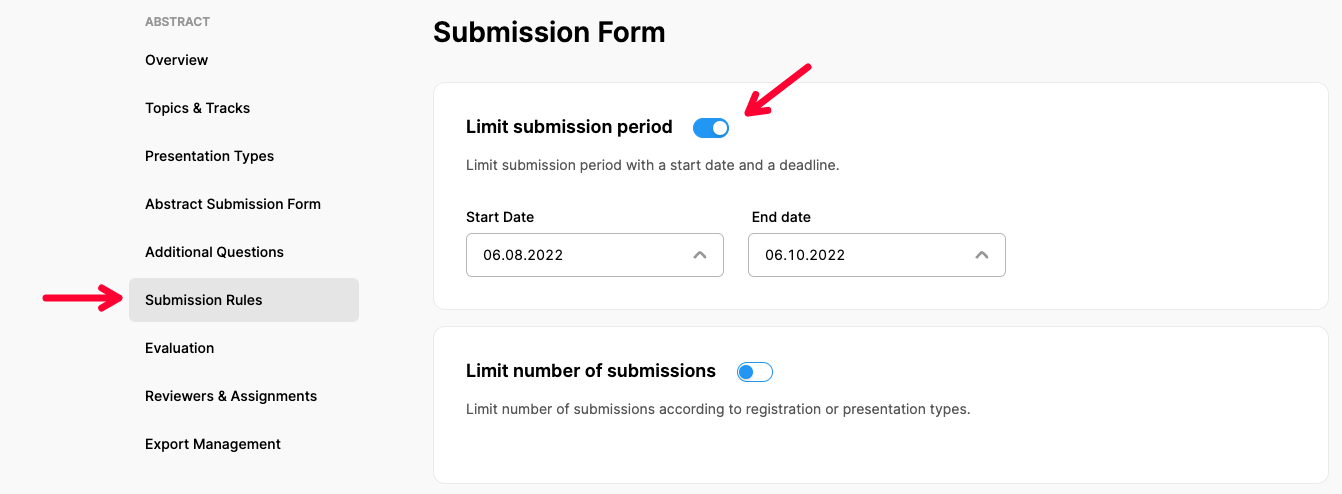
Choose ‘Submission Rules’ option under ‘ABSTRACT’ title,
Make the changes in submission start date and deadline fields under the ‘Limit Submission Period’ title or switch off to cancel submission period limitations. (See more to learn how to set up Submission Rules)
Click the ‘Save Changes’ button.
Comments
0 comments
Please sign in to leave a comment.