
MeetingHand allows you to sell additional event services and increase your revenue. After completing your initial Registration Settings, you can define the event services you wish to offer your participants and display them in your event registration form by applying the steps below;
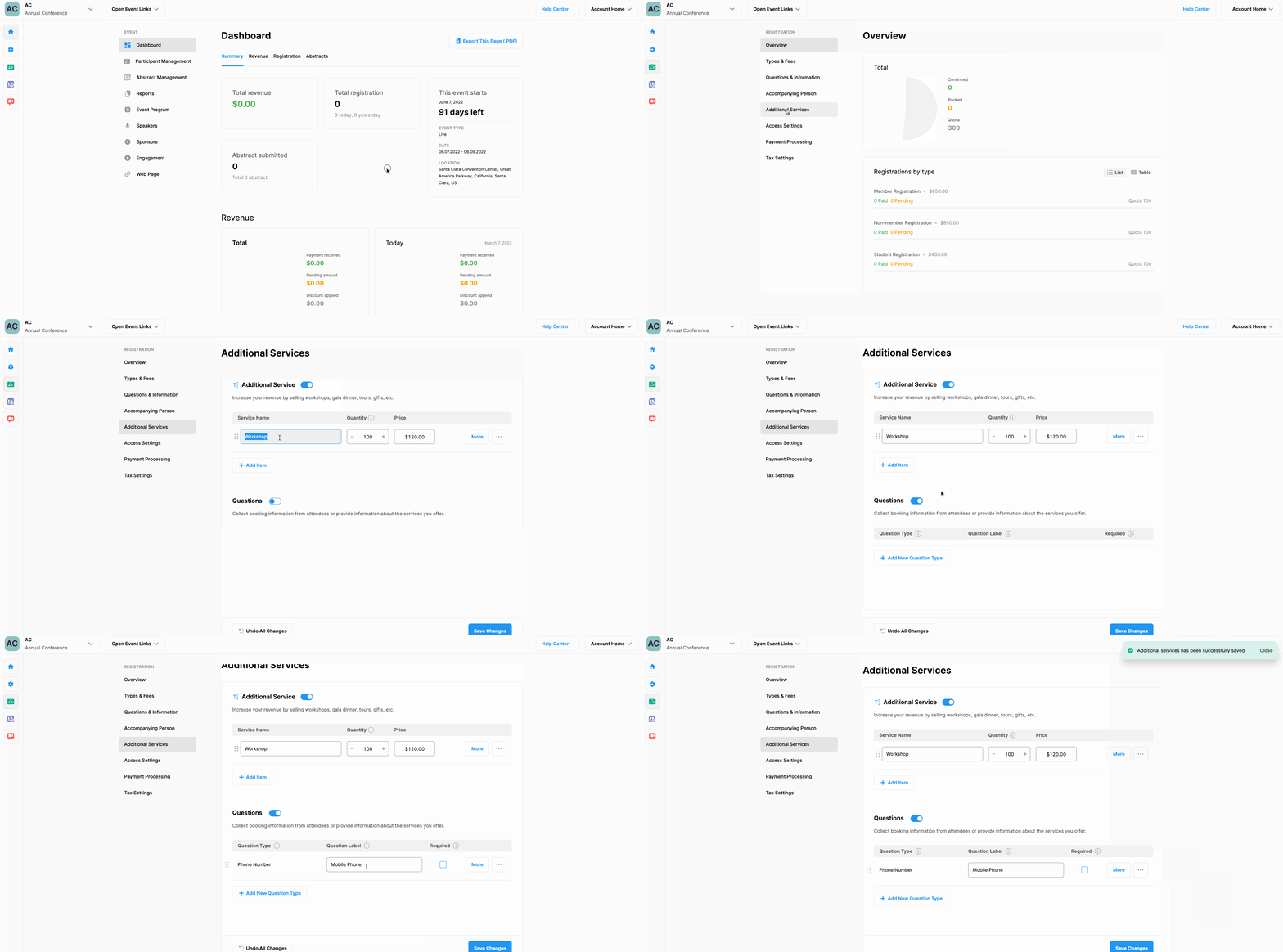
Click ‘Registration’ menu item from the left side menu,
Click ‘Additional Services’ menu item under ‘’REGISTRATION,
Switch on ‘Additional Services’ title,
Write the name, quantity, and the price of the service,
Click the ‘More’ button next to the service line and add more details such as images, description, etc. about the service you offer or 3 dots, then ‘Remove’ to delete the service you added,
Follow the same steps to add more services,
Click the ‘Save Changes’ button to save your settings.
Comments
0 comments
Please sign in to leave a comment.