
If you want to offer a specific additional service to your participants on the condition that 'only one item can be booked', you can limit multiple reservations by applying the steps below.
Choose the ‘Registration’ from the left side menu,
Choose the ‘Additional Services’ option under the ‘REGISTRATION’ title,
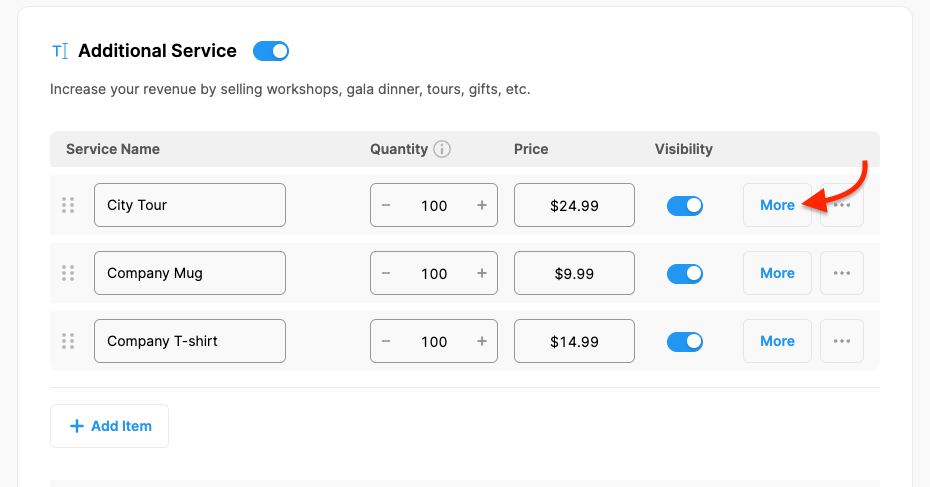
Click the ‘More’ button next to the additional service you wanted to limit for the multiple bookings,
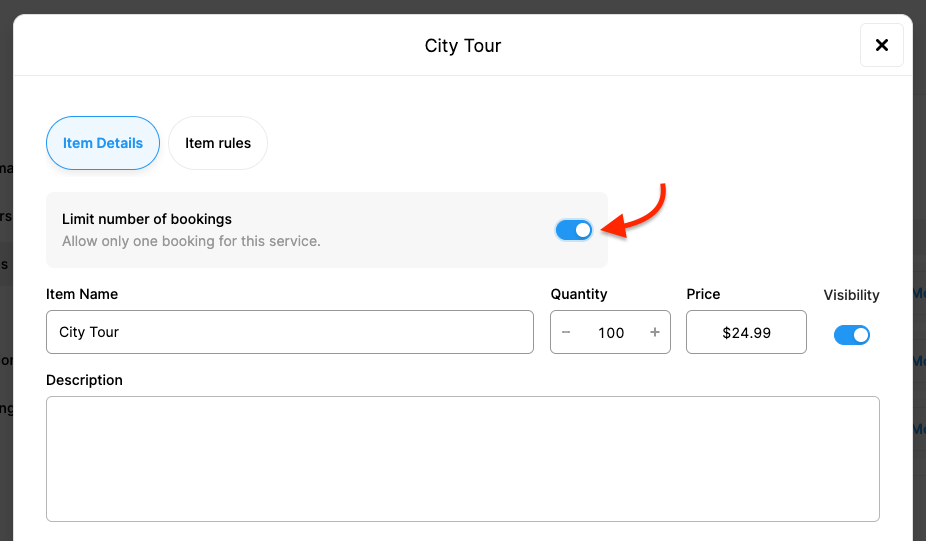
Switch on the ‘Limit number of bookings’ toggle,
Click the ‘Save’ button,
Click the ‘Save Changes’ button at the bottom of the page.
Comments
0 comments
Please sign in to leave a comment.