
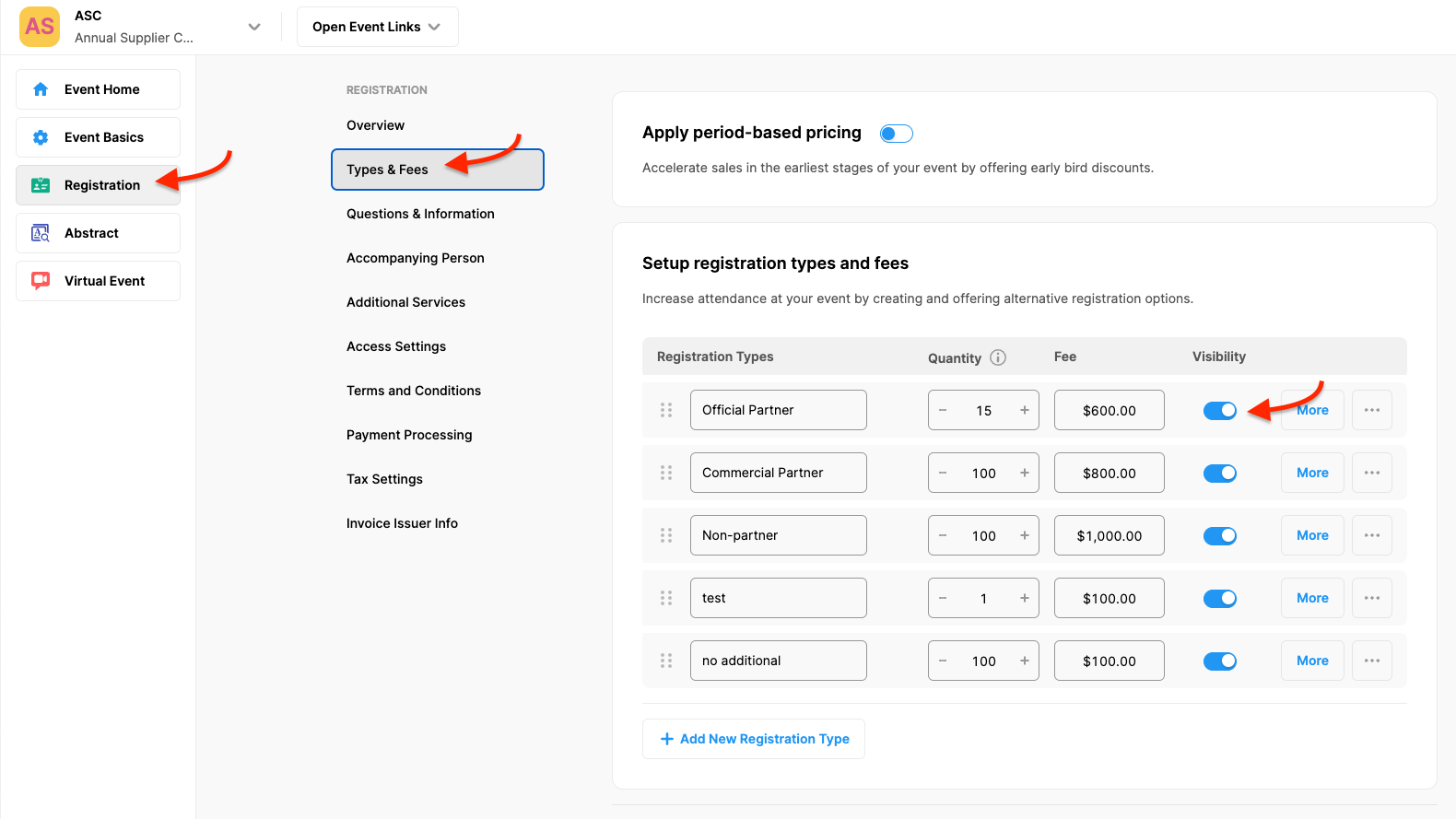
Sometimes you may want a certain registration type not to appear on your Participant Registration Form. In such cases, you can hide it by following the steps below without deleting it;
Choose the ‘Registration’ from the left side menu,
Choose the ‘Types & Fees’ option under the ‘REGISTRATION’ title,
Switch off the toggle next to the registration type you wanted to hide,
Click the ‘Save Changes’ button.
Comments
0 comments
Please sign in to leave a comment.