
Sometimes you may want an additional service to be hidden in the registration form for attendees who choose a certain registration type. In such cases, you can hide it by following the steps below, without deleting it.
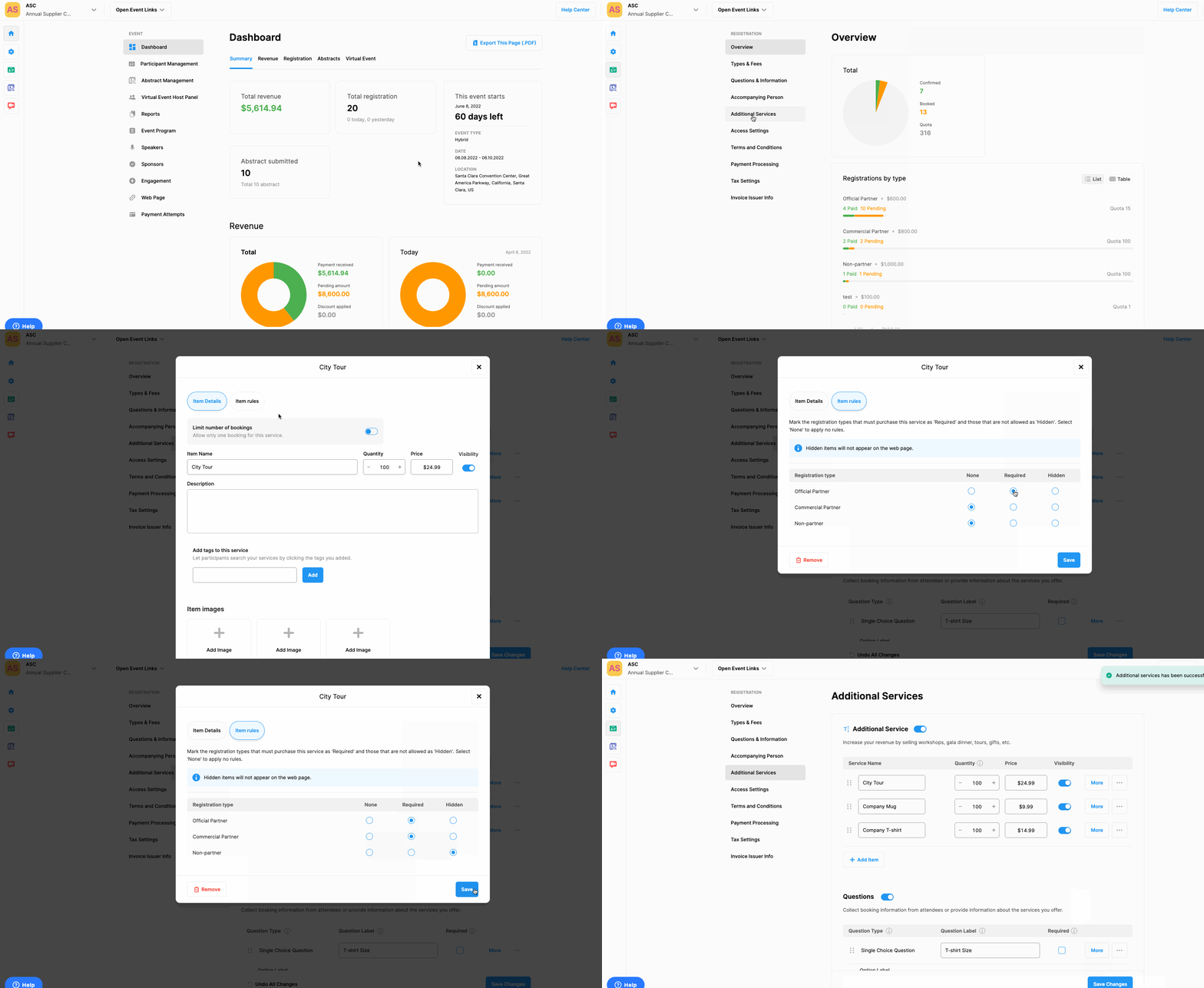
Choose the ‘Registration’ from the left side menu,
Choose the ‘Additional Services’ option under the ‘REGISTRATION’ title,
Click the ‘More’ button next to the additional service you wanted to hide,
Click the ‘Item Rules’ tab,
Mark the registration types you don't want to show the service, as 'Hidden',
Click the ‘Save’ button,
Click the ‘Save Changes’ button at the bottom of the page.
Comments
0 comments
Please sign in to leave a comment.