
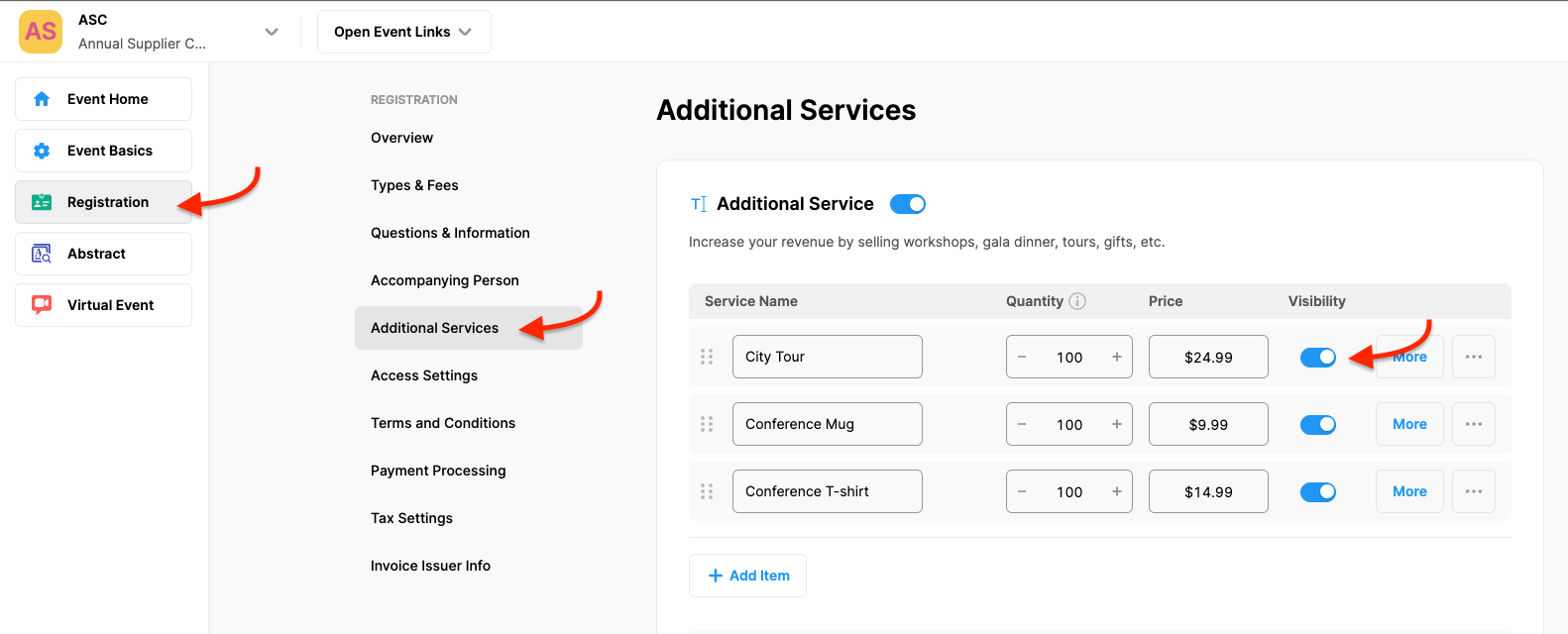
Sometimes you may want a certain additional service not to appear on your Participant Registration Form. In such cases, you can hide it by following the steps below without deleting it;
Choose the ‘Registration’ from the left side menu,
Choose the ‘Additional Services’ option under the ‘REGISTRATION’ title,
Switch off the toggle next to the additional service you wanted to hide,
Click the ‘Save Changes’ button.
Comments
0 comments
Please sign in to leave a comment.