
MeetingHand displays a 'MeetingHand Registration Terms and Conditions Agreement' to registrants at the final step of the registration process and asks them to accept it before saving their registrations.
You can also add your own ‘Terms & Conditions’ at top of this document to have control over which conditions your participants will receive the services you offer and protect yourself against possible legal claims.
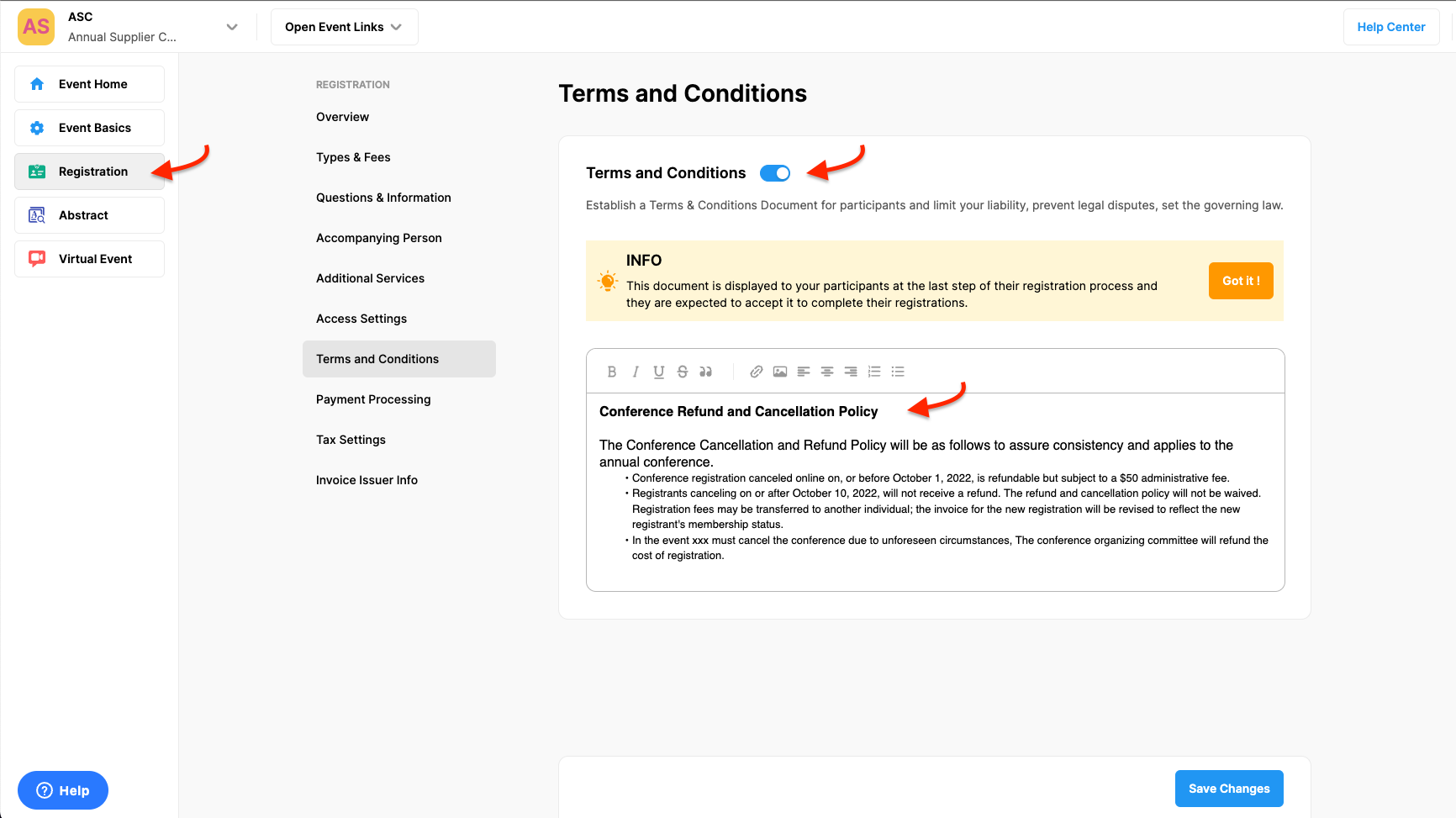
To add your ‘Terms & Conditions’ apply the steps below;
Choose the ‘Registration’ from the left side menu,
Choose the ‘Terms & Conditions’ option under the ‘REGISTRATION’ title,
Switch on the ‘Terms and Conditions’ title,
Write your terms and conditions in the text editor field,
Click the ‘Save Changes’ button.
Comments
0 comments
Please sign in to leave a comment.