
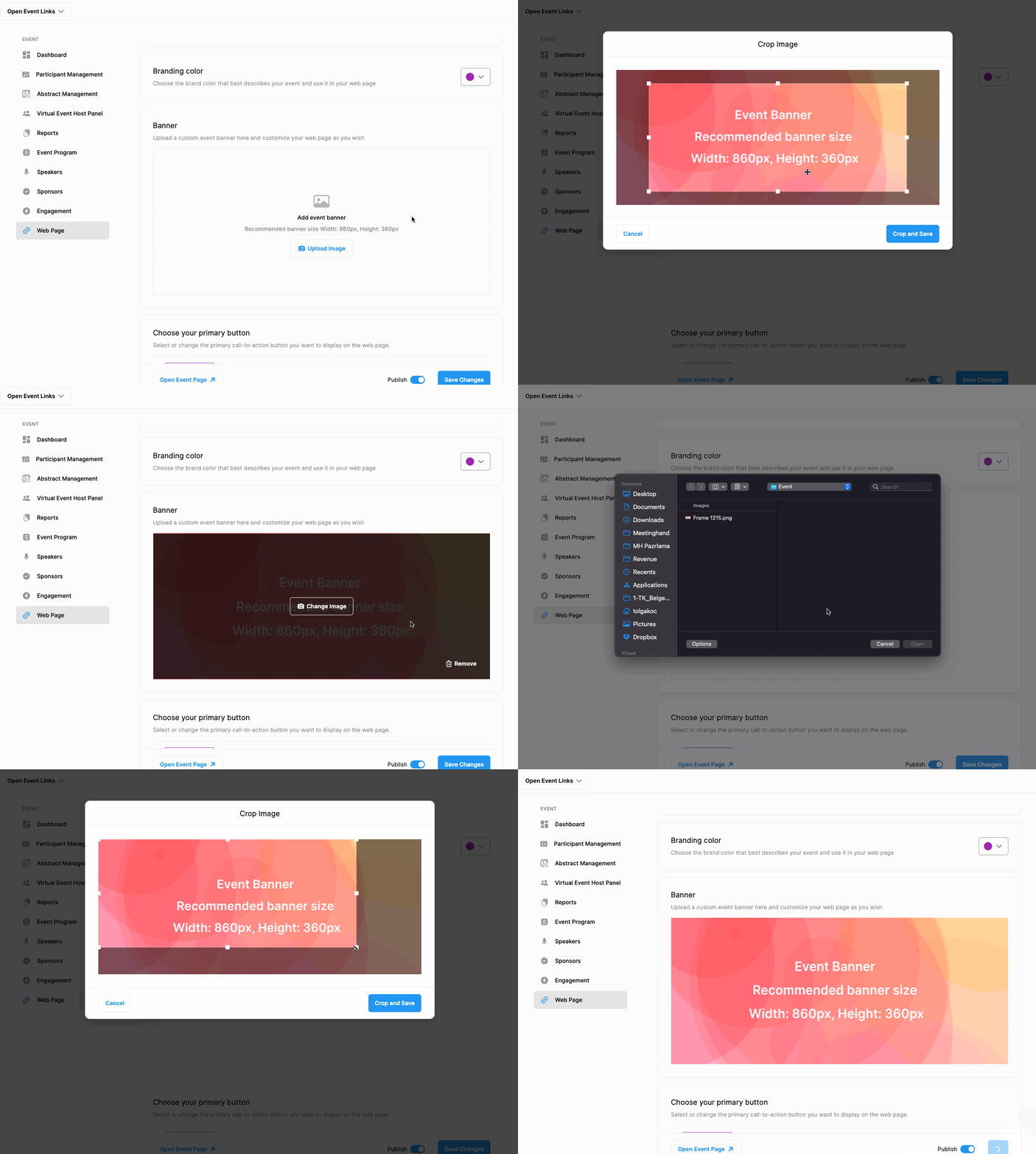
If you want, you can upload a banner (width: 860px height: 360px) to your event web page.
To upload a banner, apply the steps below;
Choose ‘Event Home’ from the left side menu,
Choose ‘Web Page’ under the ‘EVENT HOME’ title,
Click the ‘Upload Image’ button inside the ‘Banner’ area,
Select the banner image you want to upload,
Click the ‘Save Changes’ button at the bottom of the page.
Comments
0 comments
Please sign in to leave a comment.