
MeetingHand creates your event web page content automatically for each module you complete the setting, and allows you to display/hide them or change the order of appearance on your web page.
To manage your pages, apply the steps below;
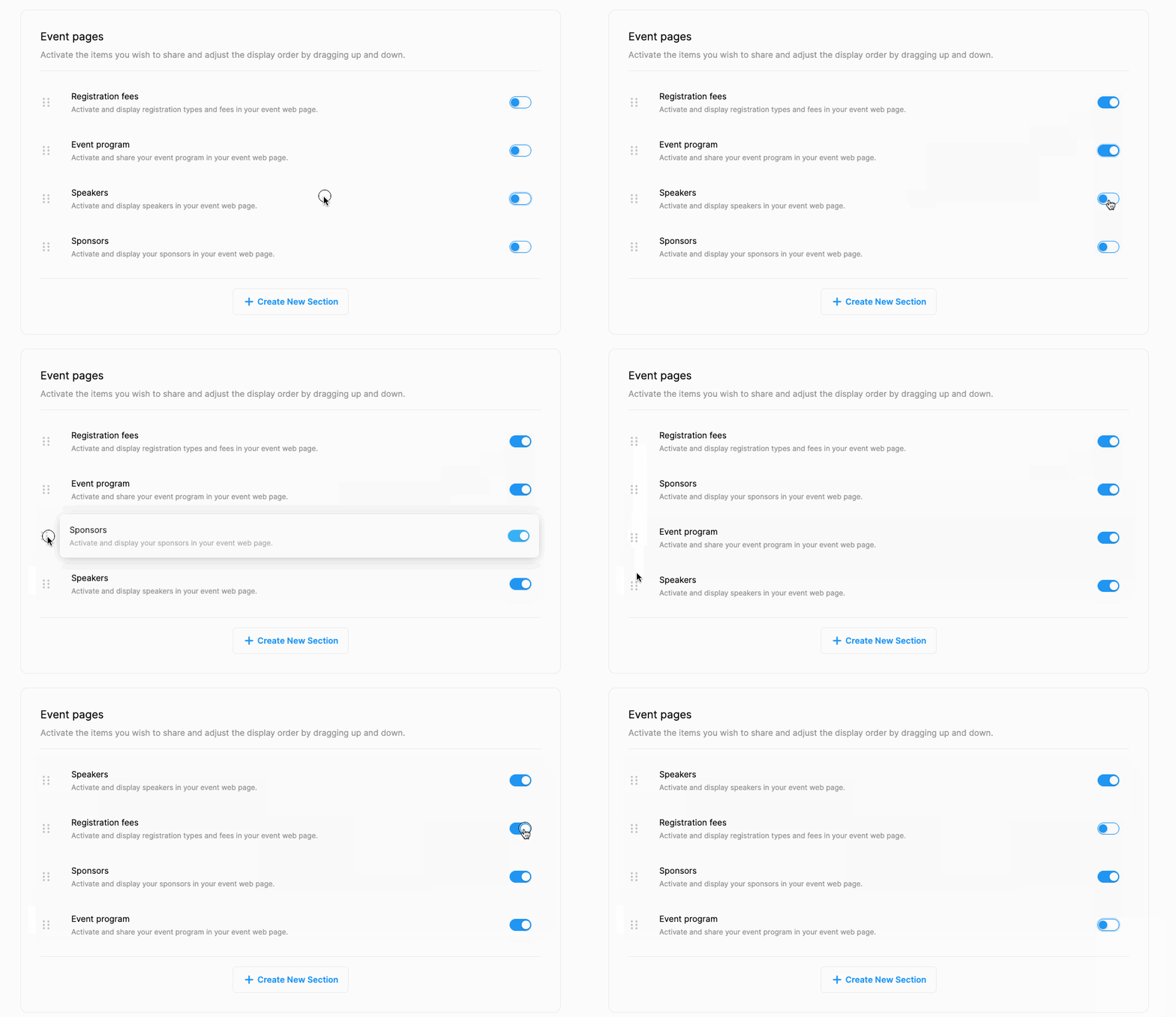
Switch on to display an event page,
Switch off to hide an event page,
Drag up or down to change the order of appearance (from the dots icon on the left side of a page)
Note that, if you haven’t added any info yet, the pages you switched on will be displayed as blank on your web page. So, please make sure, that you added content from the relevant setting pages first.
Comments
0 comments
Please sign in to leave a comment.