
If you think that your event web page is ready to share, you must publish it as follows;
Note that, the event web page will not be accessible until you publish it.
Choose ‘Event Home’ from the left side menu,
Choose ‘Web Page’ under ‘EVENT HOME’ title,
Switch on the ‘Publish’ toggle at the bottom of your page,
Click the ‘Save Changes’ button next to it.
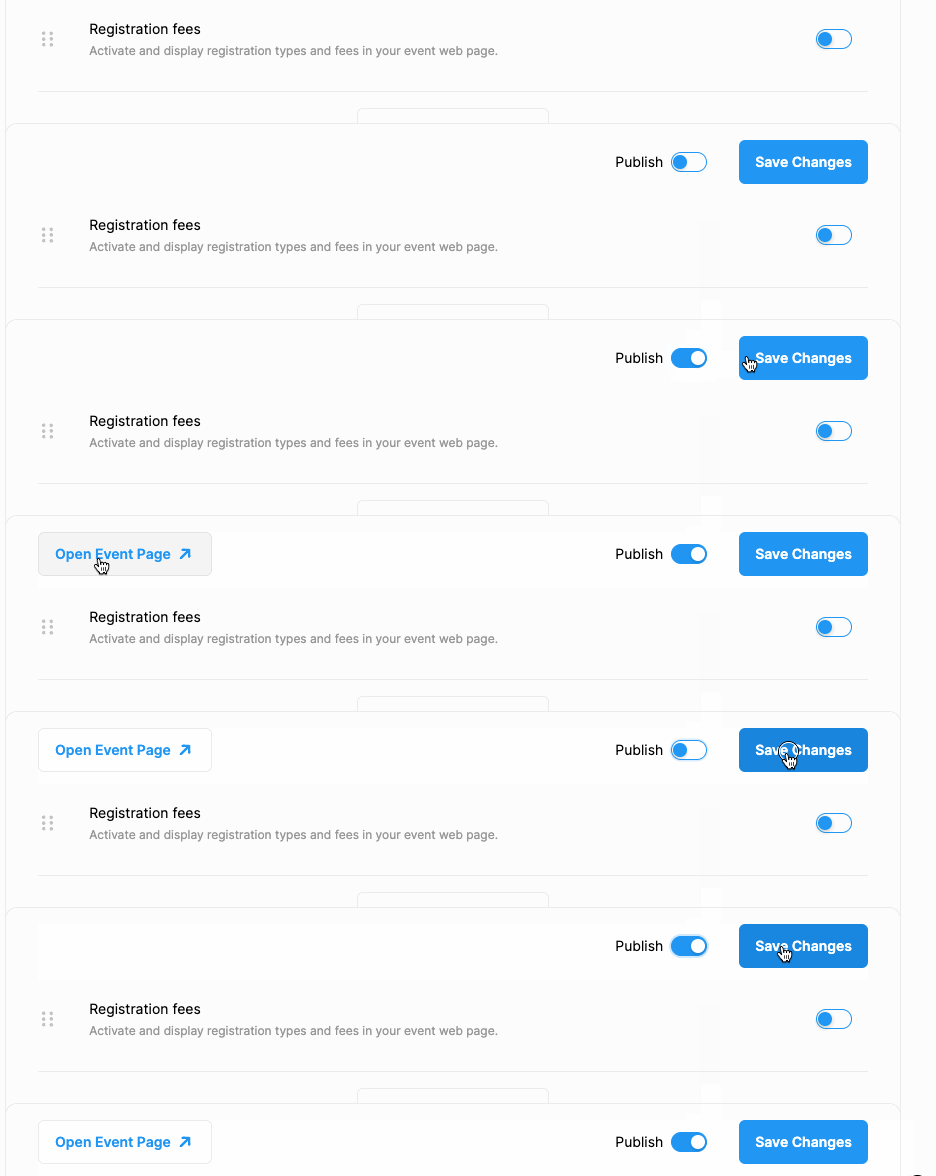
Note that, once you publish your web page, it will be accessible to visitors. However, you must share the link (URL/address) of it with your audience first.
To copy and share your web page link
Refresh your browser page,
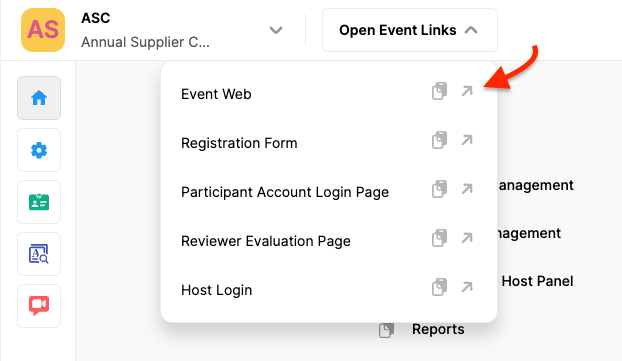
Click the ‘Open Event Links’ button at top of your page,
Click on the copy icon next to the ‘Event Web Page’ link or,
Right-click on the ‘Event Web Page’ link and select the ‘Copy Link Address’ option from the dropdown menu,
Share the link with your audience.
Comments
0 comments
Please sign in to leave a comment.