
MeetingHand allows you to create and add custom web content other than the pages it generates automatically. If you want to add some additional content to your event web page apply the steps below;
Choose ‘Event Home’ from the left side menu,
Choose ‘Web Page’ under the ‘EVENT HOME’ title,
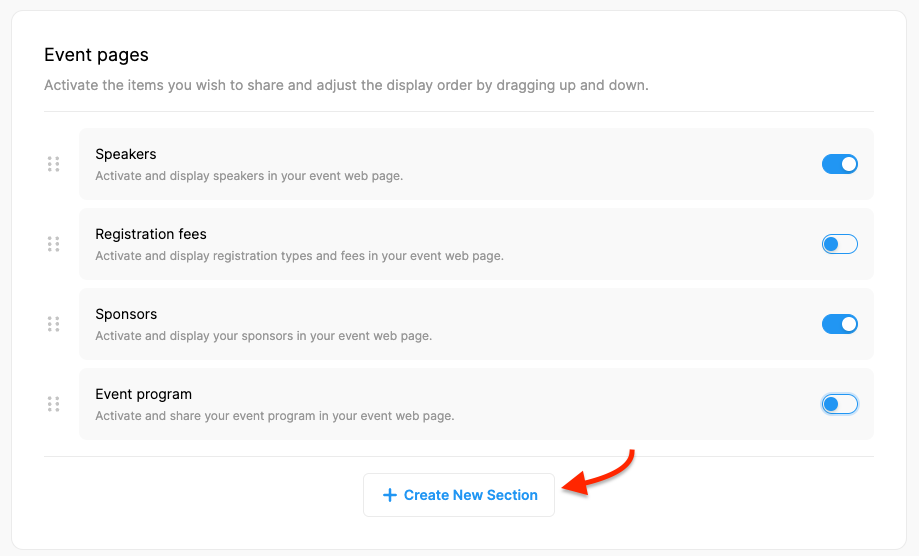
Click the ‘Create New Section’ button in the ‘Event Pages’ area,
Type the ‘Title’ of the section as you want it to appear on the menu section of your web page,
Mark the relevant checkboxes, if you want to add the title of the new page to the menu and/or display the title above the content,
Type/Add the content to the text editor area,
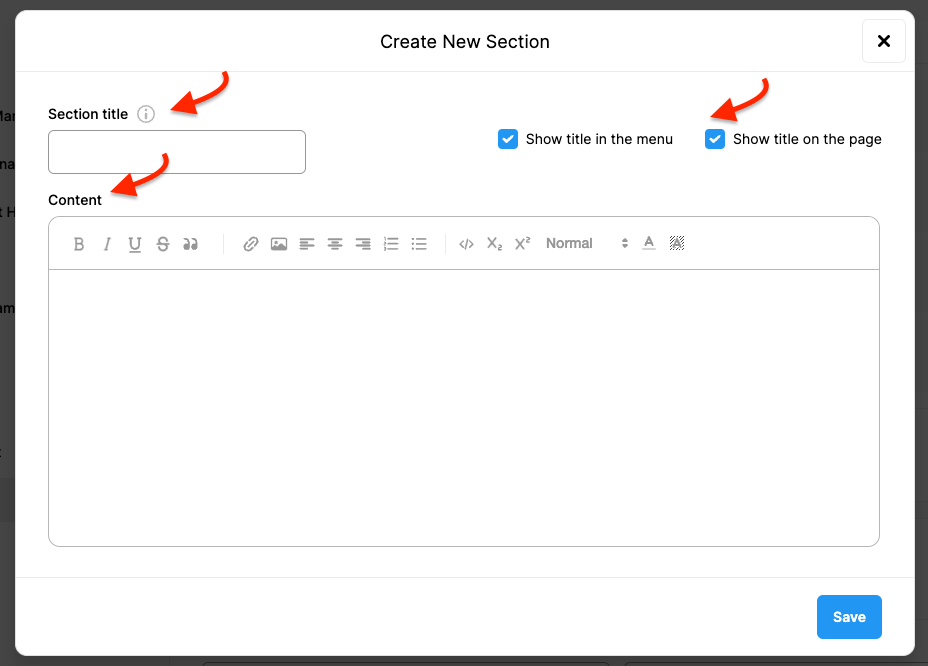
Click ‘Save’,
Drag up or down to adjust the order of the new page you added,
Click the ‘Save Changes’ button at the bottom of the page.
Comments
0 comments
Please sign in to leave a comment.